
Health
Availity Guide: Portal, Claims, Eligibility & Auth


A front-desk employee verifies coverage, a referral coordinator checks whether an authorization is required, and a biller follows a claim after submission. In many U.S. healthcare organizations, those three jobs can touch the same digital doorway: Availity. I find the platform easiest to understand not as one isolated billing tool, but as a connection layer between provider organizations, health plans, and healthcare technology systems.
If you searched for “Availity,” you are most likely trying to learn what the platform does, whether your practice can use it, how its portal fits into eligibility and claims work, or which Availity product you actually need. The short version is that Availity operates a large healthcare information network, while Availity Essentials is its health-plan-sponsored, multi-payer portal for provider workflows. Depending on the payer and the organization’s setup, staff may use it to check eligibility and benefits, request or track authorizations, submit claims, review claim status, download remittance information, receive payer notices, and access payer-specific applications.
That distinction matters because “using Availity” does not mean every payer offers every function in the same way. Availity’s official payer list shows availability by transaction type, submission method, enrollment requirement, and contract requirement. A task that works in the portal for one health plan may require a payer-branded space, a separate enrollment, a paid Availity service, or a different workflow for another.
This guide explains the provider-side experience, the differences among Availity Essentials, Essentials Plus, and Essentials Pro, the HIPAA transactions behind common tasks, and the operational checks that prevent avoidable billing confusion. It is written for practice managers, billers, front-office teams, revenue cycle staff, and clinicians who need a practical map of what Availity is and where it fits.
What Is Availity and What Does It Do?
Availity is a healthcare connectivity and information network that links providers, payers, and healthcare technology partners. For providers, its best-known interface is Availity Essentials, a secure multi-payer portal that offers a common entry point for administrative and financial transactions with participating health plans.
Availity reports that its network facilitates more than 13 billion clinical, administrative, and financial transactions each year. Its healthcare connectivity materials also state that the network connects more than one million providers with more than 2,700 payers nationwide. Those figures help explain why the name appears so often in U.S. revenue cycle and payer-provider workflows.
Availity is not the health plan making a member’s benefit determination or adjudicating a provider’s claim. In a typical portal workflow, Availity transmits or presents information between the provider and the payer, while the payer remains the source of coverage rules, authorization requirements, claim decisions, and payment policies.
Why Do Healthcare Providers Use Availity?
The practical value of Availity is consolidation. Instead of learning an entirely different login and transaction flow for every participating health plan, a provider organization can use one portal and a more consistent workflow for many routine tasks. The exact applications still vary by payer, state, contract, and user role.
How does Availity help with eligibility and benefits?
Eligibility verification is often the first Availity task a staff member encounters. A provider can submit an eligibility and benefits inquiry to confirm whether a patient appears active for a date of service and to retrieve available benefit information.
The response can include useful coverage details, but it should not be treated as a guarantee of payment. Staff still need to confirm the service date, member identifiers, provider information, network status where relevant, benefit notes, and any payer-specific limitations. If the response is unclear, the payer’s own policy or provider service channel remains the place to resolve the ambiguity.
For busy practices, the operational advantage is speed. Eligibility can be checked before the visit rather than after a claim problem appears. That allows staff to correct member IDs, update insurance, collect more accurate patient responsibility estimates, or identify coordination-of-benefits issues earlier.
Can Availity handle prior authorizations and referrals?
Availity supports authorization and referral transactions for participating payers, but the exact experience is payer dependent. Some plans expose authorization tools directly in the portal, while others route users into payer-specific applications or branded spaces.
A good authorization workflow starts by checking whether authorization is required for the service, then confirming the code, servicing provider, facility, diagnosis, date range, and supporting documentation. Staff should record the authorization number and status in the clinical or billing system rather than relying on the portal as the only internal record.
This matters because an approved authorization and a payable claim are not the same thing. Authorization confirms that a payer has approved or acknowledged a requested service under its utilization-management process. Payment can still depend on eligibility, coding, timely filing, contract terms, medical necessity rules, and other claim requirements.
What can billing teams do with claims and remittances?
Availity supports professional, institutional, and dental claim connectivity across its network, depending on payer availability and the service being used. Providers can also use supported workflows for claim status inquiries and remittance information.
For a small practice using web forms, this can mean submitting a claim without buying a large practice-management platform. For a larger organization, Availity may sit behind an EDI, clearinghouse, API, or integrated revenue-cycle workflow rather than requiring staff to key every transaction manually.
The most useful habit is to separate three stages: claim submission, claim acceptance, and claim adjudication. A successful transmission only shows that the claim moved through one technical checkpoint. It does not prove the payer accepted every data element or will pay the claim.
Which Availity Product Is Right for a Provider Organization?
Availity uses several product names, and choosing between them is easier when you focus on payer reach and workflow depth rather than branding.
The following table summarizes the provider-facing differences described in Availity’s current product materials.
| Product | Best fit | Core access model | Typical use |
| Availity Essentials | Providers working with participating, sponsoring health plans | Health-plan-sponsored portal access | Eligibility, authorizations/referrals, claims, claim status, remittances, payer notices, and payer spaces where available |
| Availity Essentials Plus | Individual practitioners and smaller practices needing additional payer reach | Paid subscription within the Essentials experience | Eligibility and claims-related access for additional non-sponsoring payers |
| Availity Essentials Pro | Organizations seeking broader revenue-cycle automation and denial prevention | Premium revenue-cycle solution | Batch and real-time eligibility, authorizations, claim editing, claim tracking, attachments, remittance workflows, and denial management capabilities |
The important buying question is not “Which tier has the most features?” It is “Which payers and transactions does my organization need, and which of those are already available to us?” Check the current Availity payer list before assuming a paid tier solves a specific payer gap.
Availity’s public site describes Essentials Plus as subscription-based but does not present a universally applicable current price on the main product page. Pricing and contract terms can change, so a practice should verify current terms directly in its Availity account or with Availity rather than relying on an old web article or third-party price quote.
How Does Availity Fit Into HIPAA Electronic Transactions?
Many everyday Availity tasks map to standard electronic healthcare transactions. HHS and CMS identify ASC X12 Version 5010 as the adopted standard for several HIPAA administrative transactions.
This table connects common provider tasks with the transaction identifiers a billing or EDI team is likely to encounter.
| Provider task | Common transaction | What it does |
| Check eligibility and benefits | 270/271 | Sends an eligibility inquiry and returns the payer’s eligibility or benefit response |
| Request or exchange authorization information | 278 | Supports referral certification and authorization request/response workflows |
| Submit a healthcare claim | 837P, 837I, 837D | Transmits professional, institutional, or dental claim data |
| Check claim status | 276/277 | Sends a claim-status inquiry and returns a status response |
| Receive payment/remittance information | 835 | Communicates healthcare payment and electronic remittance advice information |
Knowing these transaction numbers is useful even for staff who never build an EDI file. They appear in payer lists, clearinghouse documentation, support tickets, enrollment forms, and technical troubleshooting.
Availity also supports different submission methods across its network, including portal, batch, real-time, and API connectivity for selected transactions. That means two organizations can both “use Availity” while having very different technical setups.
How Do You Get Started With Availity Essentials?
The registration process is organization based, not simply a matter of creating a shared office username. Availity’s current help documentation says each user should have an individual account and that shared credentials violate its security policy.
A typical provider setup follows these steps:
Create an individual Availity user account if you do not already have one.
Register the provider or billing organization through the official Availity registration process.
Have the appropriate person complete organization registration. The person who registers the organization becomes the primary administrator.
Complete identity verification and provide required organization details.
Add providers and users after the organization is approved or active.
Assign roles and permissions based on each person’s job responsibilities.
Check the payer list for the health plans, transaction types, enrollment requirements, and contract requirements your organization needs.
Complete any payer-specific enrollment or setup steps before assuming a transaction is ready for production use.
What should an Availity administrator prepare?
Availity’s provider registration guidance says organizations should have key demographic information available, including billing and physical addresses and a tax identifier. Provider organizations also need NPI information.
The administrator role deserves careful assignment. Availity defines the administrator as the person responsible for user accounts, organization information, and other administrative tasks. The registration guidance also requires the registering person to have authority to enter the organization agreement.
For security and auditability, create separate accounts for staff, remove access promptly when roles change, and grant only the applications a user needs. That is more defensible than allowing an entire billing desk to share one login.
What Can Go Wrong When Using Availity?
Most portal problems are not caused by a single “Availity error.” They usually come from one of four layers: account access, payer availability, transaction setup, or the underlying patient/claim data.
Common examples include:
A user can log in but cannot see a payer application because the needed role was never assigned.
A payer appears in Availity, but the specific transaction is unavailable or requires separate enrollment.
Eligibility returns no active coverage because the member ID, patient name, date of birth, or service date does not match payer records.
A claim is transmitted successfully but later rejects or denies because the payer found a data, coding, coverage, or policy issue.
An authorization request exists, but the claim is billed with a different servicing provider, procedure, facility, or date range.
A remittance is available, but staff do not reconcile it to the practice-management or accounting workflow.
The fastest troubleshooting method is to identify the layer before repeating the same transaction. First confirm the user and organization access. Then verify payer and transaction availability. Next validate the submitted data. Finally, use the payer’s returned status, rejection, or denial information to determine the next action.
How Should a Practice Build an Efficient Availity Workflow?
A portal creates value only when the information it returns becomes part of a consistent internal process. The following workflow turns common Availity tasks into checkpoints rather than one-off clicks.
| Stage | What staff should verify | What to record internally |
| Before service | Eligibility, member ID, service date, benefit notes, authorization requirement | Verification date, response details, reference number if provided, follow-up needed |
| Before or during authorization | Procedure, diagnosis, provider, facility, dates, clinical documentation | Authorization number, status, approved scope, expiration or date range |
| Before claim submission | Patient/payer data, coding, provider identifiers, attachments, payer requirements | Submission batch or confirmation, correction work needed |
| After submission | Acceptance/rejection and later claim status | Payer claim number, status date, rejection reason, next action |
| After adjudication | 835/remittance details, adjustments, patient responsibility, denial reason | Posting result, appeal/correction task, balance disposition |
The original insight here is simple: do not treat Availity as a separate administrative island. The portal is most effective when each result has an owner, a timestamp, and a destination in the organization’s main workflow. A benefit response that nobody documents or an authorization number left only in a browser history creates the same downstream risk as not checking at all.
For larger groups, standardize naming and escalation rules. Define who handles access, who handles payer enrollment, who corrects eligibility issues, who owns authorizations, and who works claim rejections. That prevents every Availity problem from being routed to the same “portal person.”
Is Availity Free?
Availity Essentials is described by Availity as a free, health-plan-sponsored multi-payer solution for participating payer transactions. That does not mean every payer, transaction, clearinghouse service, or advanced revenue-cycle feature on the Availity network is free.
Essentials Plus is a subscription offering designed to expand access to additional non-sponsoring payers. Essentials Pro is a premium revenue-cycle solution with deeper automation and claim-management capabilities. EDI or other contracted services may also have separate commercial terms.
For that reason, practices should evaluate cost at the transaction and payer level. Start with the current payer list, identify what is already sponsored, then assess whether the paid access fills a real operational gap.
What Should You Verify Before Relying on an Availity Result?
Treat the portal response as a structured piece of workflow evidence, not as a substitute for judgment. Before acting on a result, verify the patient, payer, provider, date, and transaction context.
For eligibility, confirm that the response corresponds to the correct member and date of service. For authorizations, compare the approved service details to what will actually be performed and billed. For claims, distinguish a technical acceptance from payer adjudication. For remittances, reconcile adjustments and patient responsibility to the posted account.
Also remember that portal features vary by payer and, in some cases, by state. Availity’s own user guidance explicitly notes this variation. When a function appears missing, check the payer list and user permissions before assuming the feature has been removed.
How Was This Availity Guide Verified?
This guide is based on current Availity product pages and help documentation available in 2026. The explanation of HIPAA transaction identifiers is cross-checked against current CMS and HHS administrative simplification guidance.
Key verification sources include:
Availity Essentials multi-payer portal help
Availity Essentials Plus product page
Availity Essentials Pro product page
CMS Adopted Standards and Operating Rules
Because payer participation, portal applications, paid plan terms, and workflow requirements can change, the current Availity payer list and the relevant payer’s own policy should be treated as the operational source of truth for a specific transaction.
Key Takeaway
Availity is most useful when you see it as shared healthcare infrastructure rather than just a website for checking insurance. For provider teams, Availity Essentials can centralize many payer-facing tasks, while Plus and Pro extend payer reach or revenue-cycle capability.
The practical rule is to verify three things before building a workflow around it: the payer, the exact transaction, and the organization’s access. When those three align, Availity can reduce duplicate portal work and make eligibility, authorization, claim, and remittance processes easier to standardize.
Frequently Asked Questions About Availity
Is Availity the same as a health insurance company?
No. Availity is a healthcare information network and technology platform that connects providers, payers, and technology partners. The health plan remains responsible for its coverage rules, authorization decisions, claim adjudication, and payment policies.
Can patients use Availity to check their own insurance?
Availity Essentials is designed for healthcare organizations and authorized users rather than as a consumer member portal. Patients who need personal coverage or claim information should normally use their health plan’s member portal or contact the plan directly.
Does every payer in Availity support the same transactions?
No. Availability varies by payer, transaction type, submission method, enrollment requirement, and sometimes geography. Availity’s payer list is the best place to confirm whether a specific payer supports eligibility, claims, claim status, authorizations, remittances, or other functions.
Can Availity be used for dental claims?
Availity’s payer list includes support categories for 837D dental claims and dental-related transaction types where participating payers make them available. A dental practice should verify the specific payer and transaction in the current payer list before setting up its workflow.
Why can I log in to Availity but not see the tool I need?
The most common reasons are user-role permissions, organization setup, payer-specific enrollment, or the payer not offering that application for your account. Start with your organization’s Availity administrator, then confirm the payer and transaction in the payer list.
Where can I get help if I cannot log in to Availity?
Availity’s customer support page directs existing users to self-service password reset or their organization administrator first. For users who still cannot log in, Availity publishes telephone support at 1-800-282-4548, Monday through Friday, 8 a.m. to 8 p.m. Eastern Time.
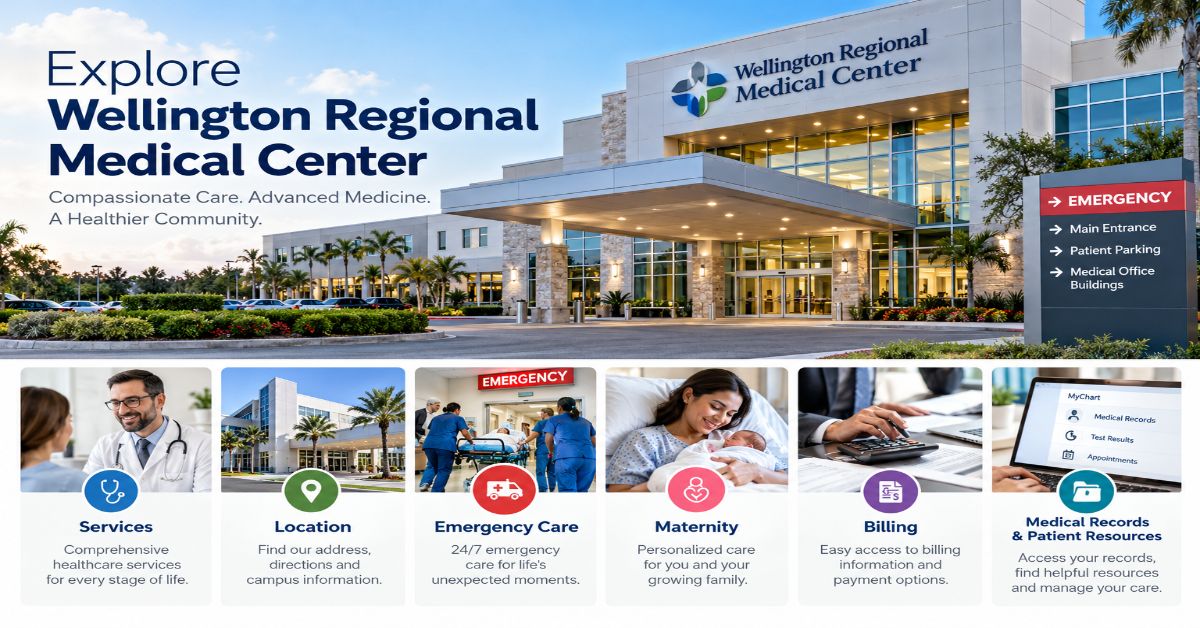
Wellington Regional Medical Center is an acute-care hospital in Wellington, Florida, serving patients in Palm Beach County and nearby communities. It offers emergency care and a broad range of specialty services, including maternity and neonatal care, cardiology, cancer care, orthopedics, neurology, stroke services, surgery, imaging, and rehabilitation. The hospital’s main address is 10101 Forest Hill Boulevard, Wellington, FL 33414, and its main telephone number is 561-798-8500. [1][2]
A hospital search often happens under pressure: someone may be comparing maternity units, checking where to go for a sudden injury, trying to arrange a specialist visit, or figuring out what an upcoming procedure might cost. This guide brings together the practical details a patient or family member is likely to need before contacting Wellington Regional Medical Center. It explains the services listed by the hospital, how to prepare for a visit, where to check costs and insurance, and how to request records after care.
The guide is based on publicly available hospital and Florida health-facility information, rather than a personal clinical assessment or an independent inspection of care. Hospital services, clinicians, insurance participation, opening arrangements, and prices can change, so confirm time-sensitive details directly with the facility. If someone is experiencing a life-threatening emergency, call 911 rather than delaying care to compare hospitals or read online information.
What Is Wellington Regional Medical Center?
Wellington Regional Medical Center (often shortened to WRMC) is a community hospital at 10101 Forest Hill Boulevard in Wellington, Palm Beach County, Florida. The hospital says it has served the community since 1986 and describes itself as a 235-bed acute-care facility accredited by The Joint Commission. Its official website lists services spanning emergency medicine, diagnostic testing, inpatient treatment, surgery, maternity, specialty care, and outpatient programs. [2]
The phrase “acute-care hospital” means a facility that evaluates and treats illnesses or injuries requiring prompt medical attention. Depending on the condition, care may involve an emergency department assessment, a hospital admission, surgery, monitoring, diagnostic tests, or treatment coordinated with a specialist. Not every service is appropriate for every patient, and the right location depends on the symptoms, urgency, referral requirements, and clinical advice.
Where is Wellington Regional Medical Center located?
The hospital is at 10101 Forest Hill Boulevard, Wellington, FL 33414, near the northwest corner of State Road 7/US 441 and Forest Hill Boulevard. The hospital’s directions page provides driving guidance from I-95 and the Florida Turnpike. Because traffic, construction, and campus entrances can change, check the official directions page before travelling. [1][3]
| Quick detail | Information |
| Facility | Wellington Regional Medical Center |
| Street address | 10101 Forest Hill Boulevard, Wellington, FL 33414 |
| Main telephone | 561-798-8500 |
| Physician referral line | 561-798-9880 |
| Official website | wellingtonregional.com |
| Emergency warning | Call 911 for a life-threatening emergency |
What services does the hospital provide?
The hospital’s official service directory lists a broad mix of specialty and general services. The availability of a particular procedure or clinician should be confirmed with the hospital or referring provider; a service listing does not mean that every treatment is suitable for every patient. [4]
| Service area | What the service may involve | Useful next step |
| Emergency services | Evaluation and treatment of serious illness, injury, and some minor injuries | Call 911 for emergencies; do not wait for an appointment |
| Cardiology and vascular care | Assessment and treatment for heart and blood-vessel conditions | Ask the referring clinician which specialist and records are needed |
| Stroke and neurology | Rapid stroke assessment and neurological evaluation | For possible stroke symptoms, call 911 immediately |
| Maternity and NICU | Labor and delivery, postpartum support, and specialized newborn care | Ask about tours, classes, and the birth plan with the care team |
| Cancer care | Cancer-related diagnostics, radiation treatment, support, and follow-up | Confirm which oncology services are delivered at the hospital or a partner facility |
| Orthopedics and rehabilitation | Musculoskeletal care and recovery services | Bring relevant imaging, referral details, and medication information |
| Imaging and laboratory | Diagnostic scans and lab testing when ordered | Ask about preparation, appointment times, and results access |
Emergency Care: When and How to Seek Help
Wellington Regional Medical Center’s Emergency Department evaluates serious illnesses and injuries, as well as some less severe problems. The hospital describes emergency capabilities that include rapid heart-attack response, a stroke team, and access to teleneurology services. Its emergency-services page advises people facing a medical emergency to call 911 or go to the nearest emergency room. [5]
What symptoms should not wait?
Call 911 for symptoms that may indicate a life-threatening emergency. Examples include severe chest pain or pressure, serious difficulty breathing, sudden facial drooping or weakness, sudden trouble speaking, severe bleeding, loss of consciousness, or a major injury. This list is not exhaustive. Do not drive yourself if symptoms could make driving unsafe.
Recognizing possible stroke
The hospital promotes the BE FAST reminder for stroke warning signs: Balance problems, Eyes or sudden vision changes, Face drooping, Arm weakness, Speech difficulty, and Time to call 911. Record when symptoms began or when the person was last known to be well, if that information is available. Do not wait to see whether symptoms disappear. [6]
What happens after arriving at the emergency department?
Emergency departments prioritize patients according to clinical urgency, not simply arrival order. Staff may first assess vital signs and symptoms, then arrange examination, tests, treatment, or specialist consultation. Waiting time depends on the severity of cases arriving at the same time and the evaluation needed. Bring identification and insurance information if readily available, but do not delay emergency care to collect paperwork.
For a non-life-threatening problem that cannot wait for a routine appointment, call a healthcare professional or an urgent-care service to ask where to go. The best option depends on the injury or symptoms and on the services available at that location.
Maternity, Labor and Delivery, and Newborn Care
The hospital’s Birthing Center page describes maternity care for mothers and infants, including labor and delivery, postpartum care, and a Level III neonatal intensive care unit (NICU). The published facilities include 18 labor and delivery rooms, a 27-room postpartum unit, two obstetrical operating rooms, and a 25-bed NICU. The hospital also lists a 24-hour in-hospital OB hospitalist and lactation support. These are facility details published by the hospital and should be reconfirmed if they are important to a birth plan. [7]
How can families prepare for maternity care?
Discuss the birth plan, pregnancy risks, and emergency contact arrangements with the obstetric clinician.
Ask the hospital about maternity tours, childbirth and parenting classes, visitor rules, parking, and what to pack.
Check insurance benefits for the hospital, obstetrician, anesthesiology, newborn care, and any likely specialist services.
Ask how the team communicates updates if a newborn needs specialized care or a transfer.
A Level III NICU provides specialized care for newborns who need more than routine nursery support. Whether a particular infant needs NICU treatment is a clinical decision made by the care team. Families can ask which clinicians will explain the baby’s condition, how updates are provided, and what support is available during the admission.
Specialty Services and Planned Treatment
Heart and vascular care
The hospital lists cardiology and vascular services and describes emergency heart-attack response as part of its emergency care. It reports accreditation as a Chest Pain Center with Primary PCI and Resuscitation by the American College of Cardiology. For a planned consultation, ask which clinician will see you, whether a referral is required, and whether previous ECGs, imaging, lab results, or medication lists should be sent in advance. [5]
Cancer care
The Regional Cancer Center at Wellington describes outpatient radiation treatment and supportive services, including educational resources and support groups. Cancer treatment often involves multiple organizations and professionals, so patients should verify where each part of their plan—such as imaging, biopsy, surgery, infusion therapy, radiation, or follow-up—will take place. Ask for a written care plan that identifies appointments, responsible clinicians, and the best number to call with questions. [8]
Orthopedics, neurology, and rehabilitation
The hospital lists orthopedic services, neurosurgery and neurology, and outpatient rehabilitation. These areas may be relevant for joint problems, injuries, neurological symptoms, and recovery after illness or surgery. Before a scheduled visit, confirm whether the appointment is an evaluation, a procedure, or a therapy session; these can have different preparation and insurance requirements.
Imaging, laboratory, and outpatient services
Diagnostic imaging and laboratory testing support diagnosis and treatment across many specialties. Preparation can differ substantially: some tests require fasting, a medication review, contrast-safety screening, or earlier arrival. Follow the specific instructions supplied by the ordering clinician or facility rather than relying on general online advice. Ask when results are expected, how urgent results will be communicated, and whether the ordering clinician or the hospital will explain them.
Appointments, Referrals, and What to Bring
For physician referrals, the hospital lists 561-798-9880. Patients should use the official website or call the relevant department to confirm current scheduling procedures, clinician availability, and whether a referral or authorization is needed. A directory listing is not a guarantee that a particular doctor accepts new patients or participates in a specific insurance plan. [1][2]
A practical appointment checklist
Confirm the appointment date, time, building or department, and arrival instructions.
Ask whether you need a referral, prior authorization, fasting, medication adjustments, or special preparation. Do not change prescribed treatment without instructions from the clinician responsible for your care.
Bring photo identification, insurance card, referral or authorization details, and contact information for your primary-care clinician.
Prepare a current medication list, allergies, relevant medical history, and prior test or imaging reports.
Write down your main symptoms and questions, including when symptoms started and what makes them better or worse.
Ask how follow-up, test results, and after-hours questions will be handled.
For emergency care, do not delay getting help while collecting these items. For planned care, preparation helps reduce avoidable delays and makes it easier for clinicians to understand the reason for the visit.
Costs, Insurance, and Price Estimates
The hospital publishes a pricing guide and explains that a listed hospital charge is not necessarily the amount an insurer pays or the amount a patient ultimately owes. Estimates can change based on the services provided, case complexity, insurance benefits, deductibles, copayments, coinsurance, and charges from clinicians or other providers who bill separately. [9]
How to estimate your likely out-of-pocket cost
Start with the hospital’s price estimator or pricing guide for the exact planned service.
Call your insurer using the number on your insurance card to confirm network status, benefit limits, prior authorization, deductible, and coinsurance.
Ask the hospital whether the estimate includes facility charges only or also professional fees from physicians, anesthesiologists, radiologists, pathologists, or other clinicians.
Ask the hospital’s financial services team about payment arrangements, uninsured discounts, or financial assistance policies that may apply.
A hospital estimate is a planning tool, not a guaranteed final bill. If a procedure or admission changes after the initial estimate, the final amount can change too. The hospital’s patient billing page lists 561-798-8678 locally and 866-772-6309 toll-free for patient financial services; its published hours are Monday through Friday, 8:30 a.m. to 4:30 p.m. Confirm current contact details before relying on them. [10]
| Question to ask | Why it matters |
| Is the hospital in-network for my exact plan? | Network status can affect what the insurer pays and what you owe. |
| Does this estimate include clinician fees? | Hospital and professional services may be billed separately. |
| Do I need prior authorization? | Some planned services require insurer approval before treatment. |
| What deductible or coinsurance remains? | Your remaining benefit obligations affect your share of the bill. |
| Can I request financial assistance? | Eligibility and documentation requirements vary; ask the hospital directly. |
Medical Records and Online Patient Access
Wellington Regional Medical Center offers Health Records Online, a patient portal that can provide access to selected health information, test results, radiology reports, medication history, discharge instructions, and secure communication features. The hospital says patients can enroll online or begin enrollment during registration. Portal support and medical-records questions use different contact channels, so choose the one that matches the issue. [11]
How do you request medical records?
The hospital’s medical-records information describes several routes: the patient portal, an online request system, or a paper authorization form submitted by mail, email, or fax. A valid authorization and proof of identity may be required, and copy or processing fees can apply to some requests. The hospital lists 561-798-8680 for Health Information Management questions and fax 561-798-8578 for paper requests. Check the official records page for the current form and submission instructions before sending personal information. [12]
Medical information is confidential. If you are requesting records for another adult, ask what legal authorization is required. A parent or guardian may be able to request records for a minor, while other situations may require formal decision-making authority or estate documentation.
Location, Directions, and Visitor Planning
The hospital’s directions page places the campus on the northwest corner of State Road 7/US 441 and Forest Hill Boulevard. It gives route guidance from I-95 and the Florida Turnpike. Use the official map and check visitor instructions before travelling, especially if you are going to a specific unit rather than the main entrance. [3]
Before visiting a patient, confirm visiting hours, any unit-specific restrictions, and whether the patient can receive visitors. Rules may differ for intensive care, maternity, infection-control precautions, or other clinical circumstances. If you need disability access, language assistance, or help finding a department, call ahead so staff can explain available arrangements.
For navigation, save the hospital’s full street address rather than relying only on the name. Several facilities in different countries use similar “Wellington” hospital names, including Wellington Regional Hospital in New Zealand. The Florida facility discussed in this guide is the one in Wellington, Palm Beach County, with the 33414 ZIP code. [1][13]
How to Evaluate Whether This Hospital Fits Your Needs
The most useful comparison is not a broad ranking alone; it is whether a facility can provide the service you need, within the timeframe you need it, with clinicians and coverage that fit your situation. For urgent or emergency symptoms, speed and appropriate emergency response come first. For planned care, use a short checklist:
Clinical fit: Does the hospital provide the relevant service, and is the required specialist available?
Continuity: Can the hospital coordinate with your current clinicians and share records where authorized?
Practical access: Are travel, parking, appointment times, language access, and mobility needs manageable?
Financial clarity: Have you checked the hospital’s estimate, insurance network, and separate clinician fees?
Communication: Do you know whom to contact for results, billing questions, and follow-up?
For major decisions, discuss options with a qualified healthcare professional who knows your history. Public websites can establish a starting point for logistics and service availability, but they cannot determine which hospital or treatment is best for an individual patient.
Conclusion: Key Takeaway
Wellington Regional Medical Center is a community acute-care hospital in Wellington, Florida, with emergency services and a wide range of specialty programs, including maternity and neonatal care, cardiology, stroke care, cancer services, orthopedics, imaging, and rehabilitation. The practical starting points are its official service directory, directions page, patient portal, medical-records information, and pricing guide. Confirm details directly with the hospital and your insurer before planned care; for a life-threatening emergency, call 911.
Frequently Asked Questions
What is the phone number for Wellington Regional Medical Center?
The main number listed by the hospital is 561-798-8500. For physician referrals, the hospital lists 561-798-9880. Check the official contact page for department-specific numbers. [1]
Is Wellington Regional Medical Center in Wellington, Florida?
Yes. The facility is at 10101 Forest Hill Boulevard, Wellington, Florida 33414, in Palm Beach County. It is different from Wellington Regional Hospital in Wellington, New Zealand. [1][13]
Does Wellington Regional Medical Center have a maternity unit and NICU?
Yes. The hospital lists a Birthing Center and a Level III neonatal intensive care unit. Contact the maternity team for current details about tours, classes, admission procedures, and visitor policies. [7]
How can I check the cost of a planned procedure?
Use the hospital’s pricing guide or price-estimator tool, then verify benefits and network status with your insurer. Ask whether the estimate includes separate professional fees and what deductible or coinsurance may apply. [9]
How do I get my medical records from Wellington Regional Medical Center?
The hospital describes access through Health Records Online, an online request system, or an authorization form. The Health Information Management number listed is 561-798-8680; confirm current requirements on the official medical-records page. [11][12]
What should I do if someone may be having a stroke or heart attack?
Call 911 immediately. Sudden face drooping, arm weakness, speech difficulty, severe chest discomfort, or trouble breathing can be signs of a medical emergency. Do not delay emergency help to contact the hospital or arrange your own transport.

A health concern rarely arrives with a convenient schedule. You may need an emergency department now, a specialist for a condition that has been developing for months, or a diagnostic test that your clinician has ordered. If you are searching for Bayhealth Medical Center, the key is understanding that Bayhealth is more than one hospital building: it is a regional health system serving central and southern Delaware through hospital campuses, outpatient centers, emergency services, and physician practices Bayhealth Medical Center.
Bayhealth Medical Center is associated with two main hospitals: Bayhealth Hospital, Kent Campus, in Dover, and Bayhealth Hospital, Sussex Campus, in Milford. The system also operates a freestanding emergency department in Smyrna and a network of outpatient and specialty locations. That structure matters because the best destination depends on what you need. A life-threatening emergency calls for emergency services, while imaging, routine primary care, and specialist appointments may take place at separate facilities Bayhealth Medical Center.
This guide explains how to identify the right Bayhealth location, what kinds of care the system provides, how to prepare for an appointment, and which details to verify before travelling. It is designed for patients, caregivers, and people comparing healthcare options in Delaware—not as a substitute for advice from a qualified clinician. Services, clinician availability, insurance participation, and opening hours can change, so use the official Bayhealth website or contact the relevant department to confirm details before a non-emergency visit.
The most useful starting point is simple: match the urgency of the problem to the appropriate care setting, then confirm the exact address and instructions for that location. Doing this can reduce unnecessary travel and help you arrive with the information the care team needs.
What is Bayhealth Medical Center?
Bayhealth is a regional healthcare system based in Delaware. Its care network includes hospital services, physician practices, outpatient testing, specialty care, and other community-based services. The name “Bayhealth Medical Center” is often used when people search for the overall organization, but individual services may be listed under specific names such as Bayhealth Hospital, Kent Campus or Bayhealth Hospital, Sussex Campus.
The system’s two principal hospital campuses are in Dover and Milford. Delaware’s Department of Health and Social Services lists Kent Campus at 640 South State Street, Dover, and Sussex Campus at 100 Wellness Way, Milford. The state directory lists phone numbers of 302-674-4700 for Kent Campus and 302-422-3311 for Sussex Campus. Confirm the current details before travelling, especially if you have been given instructions for a particular department. [Source: Delaware DHSS hospital directory; Bayhealth’s Kent Campus page.]
Where are Bayhealth’s main hospital campuses?
Bayhealth Hospital, Kent Campus
Kent Campus is located at 640 S. State Street in Dover, Delaware 19901. Bayhealth lists the hospital as open 24 hours a day, and its Emergency and Trauma Center entrances are staffed around the clock. The main entrance to the Outpatient Center has separate hours: the published schedule lists weekday hours from 6 a.m. to 6 p.m., Saturday from 8 a.m. to noon, and closure on Sunday. These schedules are not interchangeable, so check the exact department rather than assuming every service in the building operates on the same timetable.
The campus page also describes free parking and free valet service. Published valet hours differ by entrance, so verify the current arrangements if mobility, equipment, or a tight appointment schedule makes parking important.
Bayhealth Hospital, Sussex Campus
Sussex Campus is located at 100 Wellness Way in Milford, Delaware 19963. It is the other main hospital campus in Bayhealth’s network. The campus provides hospital-based services, while nearby or associated Bayhealth locations may offer outpatient testing and specialty appointments. A referral or appointment confirmation should identify the exact building and department; do not assume that a hospital-campus address is correct for every Bayhealth service in Milford.
The table below summarizes the main campus details published by the Delaware state hospital directory. Because phone numbers and service arrangements can change, use the official directory or Bayhealth website for confirmation before a planned visit.
| Location | Address | Published phone | Best next step |
| Kent Campus | 640 S. State St., Dover, DE 19901 | 302-674-4700 | Confirm department and entrance |
| Sussex Campus | 100 Wellness Way, Milford, DE 19963 | 302-422-3311 | Check appointment instructions |
What services does Bayhealth offer?
Bayhealth’s services span general hospital care, diagnostic testing, and specialty practices. The precise services available at any one address vary, so the system’s service and location directories are more reliable than assuming a service is offered at every campus.
Primary care and family medicine
Primary care supports preventive visits, routine health concerns, screening, and ongoing management of common or chronic conditions. Bayhealth Medical Group includes family medicine and primary care practices at multiple locations. For example, the system’s listed Family Medicine practice in Dover describes services such as routine checkups, preventive care, immunizations, care for acute illness, and management of conditions including asthma and high blood pressure. Availability and accepted insurance depend on the practice and clinician, so confirm these details when booking.
Specialty care
Bayhealth Medical Group lists specialties that include cardiology, endocrinology, ear, nose and throat (ENT), gastroenterology, general surgery, maternal-fetal medicine, orthopedics, pediatrics, psychiatry and mental health, pulmonology and critical care, urology, women’s care, and wound care. This breadth can be useful when a patient needs a specialist after a primary-care visit or hospital evaluation. It does not mean every specialty is offered at every location or that a new-patient appointment is immediately available.
Imaging and diagnostic services
Outpatient imaging locations listed by Bayhealth include services such as X-rays, ultrasound, CT, MRI, PET imaging, and other diagnostic procedures, depending on the site. The system publishes separate contact numbers for imaging scheduling in Kent and Sussex counties. A clinician’s order may specify the type of study, preparation requirements, or a particular location; bring the order or make sure it is on file before the appointment.
Emergency and urgent care
Hospital emergency departments evaluate serious or potentially life-threatening problems. Bayhealth also has a freestanding Emergency Center in Smyrna and walk-in care options. These settings are not interchangeable. Walk-in care is intended for problems that need prompt attention but are not emergencies; emergency departments are equipped for severe or potentially dangerous symptoms. If you believe someone is experiencing a medical emergency, call 911 rather than delaying care to compare facilities.
Bayhealth also advertises Bayhealth@Home, a virtual urgent-care service. Virtual care may be useful for suitable non-emergency concerns, but it is not appropriate for every symptom and cannot replace emergency assessment when urgent in-person treatment is needed.
Which Bayhealth location should you choose?
Start with the nature and urgency of the problem, then follow any referral or appointment instructions. The table below is a practical orientation tool, not a diagnosis or a guarantee that a particular service is available at every site.
| Your need | Likely care setting | What to confirm |
| Severe or life-threatening symptoms | Call 911 / emergency department | Do not delay emergency care to check routine hours |
| New, non-emergency illness or minor injury | Walk-in care or suitable virtual urgent care | Eligibility, current hours, and whether an in-person exam is needed |
| Routine checkup or ongoing condition | Primary care practice | Clinician availability, insurance, and records needed |
| Specialist consultation | Relevant Bayhealth Medical Group practice | Referral rules, location, and appointment date |
| Ordered imaging or diagnostic test | Specified outpatient imaging location | Order on file, preparation, arrival time, and insurance approval |
How can you make an appointment at Bayhealth?
The most reliable approach is to begin with Bayhealth’s official website and use its Find a Doctor, locations, or service pages to identify the correct practice. The Bayhealth Medical Group page says patients can use the Find a Doctor tool or call individual offices directly to arrange appointments. For a specialist, ask whether a referral is required and whether the office needs records or test results before scheduling.
A simple appointment checklist
1. Identify the service you need. If you have a referral or test order, use the wording on that document to search for the correct department.
2. Confirm the exact location. A system may have several offices with similar names, including separate outpatient and hospital addresses.
3. Ask about preparation. Imaging, procedures, and specialist visits may require instructions in advance.
4. Check insurance and payment. Ask whether the practice participates in your plan, whether a referral or prior authorization is needed, and what costs may be due at the visit.
5. Bring the essentials. Take photo identification, insurance information, a current medication list, relevant records, and any referral or order requested by the office.
6. Save the confirmation. Keep the date, arrival time, department name, address, and phone number together so you can contact the office if plans change.
What should patients know about insurance and costs?
The amount a patient pays depends on the service, insurance plan, provider network, deductible, copayment, coinsurance, and whether prior authorization is required. Do not assume that a hospital, physician practice, laboratory, imaging provider, or outside specialist has identical participation rules simply because it is connected with the same health system.
Before a scheduled service, ask the insurer and the Bayhealth office to confirm the specific provider and location, the planned service, and any authorization requirements. Request an estimate when one is available, and ask whether separate professional or facility charges may apply. An estimate is not always a final bill, particularly if the care provided changes after evaluation.
Patient portal, records, and communication
Bayhealth’s contact page provides support information for MyChart, its patient portal. The published Bayhealth Service Desk number for MyChart assistance is 302-744-7196. The portal may help patients manage selected aspects of their care, but available functions can depend on enrollment and the service involved. Use the official Bayhealth site to access the portal rather than following an unfamiliar message or link.
If you need records from a prior visit, ask the relevant office how to request them and whether the receiving clinician can obtain them directly. When contacting the organization about a bill, appointment, portal access, or patient concern, use the dedicated contact route where possible. This helps direct the question to the team best positioned to respond.
How to prepare for a hospital visit
A few practical steps can make a hospital or outpatient visit easier, especially when a caregiver is coordinating transport or information.
Before leaving home:
– Check the appointment confirmation and the department’s current instructions.
– Confirm whether you should fast, change medication, or follow other preparation directions. Do not change prescribed treatment unless your clinician tells you to.
– Bring identification, insurance details, a medication list, allergies, and relevant medical history.
– Write down the main questions you want answered.
– Arrange transport and allow time for parking, registration, and finding the correct building.
– If you need an interpreter, mobility assistance, or another accommodation, contact the location in advance when feasible.
At check-in, tell staff if your symptoms have changed significantly since the appointment was booked. For emergencies, do not wait for a scheduled appointment or use routine registration procedures as a substitute for emergency help.
How to assess whether Bayhealth is the right fit
Choosing a healthcare provider is not just a matter of selecting the nearest building. Consider whether the required specialty is available, how soon the service can be scheduled, whether your insurance covers the provider, how easily you can reach the location, and how follow-up care will be coordinated. If you are comparing options, ask specific questions rather than relying only on broad labels such as “full-service hospital.”
Useful questions include:
– Does this location provide the exact service my clinician recommended?
– Is the appointment with a physician, advanced practice clinician, imaging department, or another team?
– What records or referral documents are needed?
– How will results be delivered, and whom should I contact with questions?
– If the service leads to further treatment, where will that care take place?
– What costs or authorization requirements should I resolve before the visit?
These questions help reveal practical differences between locations and reduce the chance of arriving at the wrong facility or discovering a missing authorization on the day of care.
Important details to verify before visiting
Healthcare directories are useful starting points, but service information can change. Before a non-emergency visit, confirm the exact address, department phone number, opening hours, parking arrangements, and appointment instructions. If you are going for a diagnostic test, confirm the order and any preparation requirements. If you need a specialist, check whether the clinician is accepting patients and whether a referral is required. If the situation may be an emergency, call 911 or seek emergency help rather than waiting to verify routine information.
For official information, start with Bayhealth’s website at https://www.bayhealth.org/. The system’s location pages, Medical Group directory, imaging pages, and contact page provide the most directly relevant information. Delaware’s Department of Health and Social Services also maintains a licensed-hospital directory that lists the two Bayhealth hospital campuses.
Conclusion: use the right service, not just the right name
Bayhealth Medical Center is a regional healthcare system serving central and southern Delaware, with major hospital campuses in Dover and Milford and additional emergency, outpatient, diagnostic, and physician-practice locations. For patients, the most important distinction is between the organization and the specific site that will provide care. Confirm the correct department, address, referral requirements, insurance details, and preparation instructions before a planned visit. For serious or life-threatening symptoms, call 911. For routine care, Bayhealth’s official location and provider directories are the best starting point for finding the appropriate service and contacting the team directly.
Frequently asked questions
Where is Bayhealth Medical Center located?
Bayhealth’s main hospital campuses are in Dover and Milford, Delaware. Kent Campus is at 640 S. State Street in Dover, and Sussex Campus is at 100 Wellness Way in Milford. Bayhealth also operates other care locations across central and southern Delaware.
Is Bayhealth Hospital, Kent Campus open 24 hours?
Bayhealth lists Kent Campus and its Emergency and Trauma Center entrances as open and staffed 24/7. Outpatient departments have separate schedules, so confirm the hours of the specific service you plan to visit.
How do I find a Bayhealth doctor?
Use the Find a Doctor tool on Bayhealth’s official website or contact the relevant Bayhealth Medical Group office. Confirm the clinician’s specialty, location, new-patient availability, referral requirements, and insurance participation.
Does Bayhealth offer imaging such as MRI or CT scans?
Bayhealth lists outpatient imaging services that include MRI and CT at designated locations, alongside other diagnostic services. The exact test and location should be confirmed with the scheduling team, and patients should ask about preparation and authorization requirements.
How can I get help with Bayhealth MyChart?
Bayhealth’s contact page lists 302-744-7196 for MyChart support through the Bayhealth Service Desk. Check the official contact page for the latest instructions and available support options.
What should I do if I have a medical emergency?
Call 911 for a life-threatening or potentially serious emergency. Do not delay emergency care to search for appointment availability or to confirm routine clinic hours.

A wellness retreat can sound appealing when stress, emotional strain, or the need for a reset has begun to affect everyday life. Yet choosing a program that touches mental health or recovery requires more than an attractive promise: people need to understand what an organization actually offers, who provides its care, and how to verify whether its services fit their needs. Sanjara Wellness is a name associated in public company information with a wellness and treatment concept that brings Western clinical approaches together with Eastern practices. This guide explains what can reasonably be established about Sanjara Wellness, what prospective clients should check before making a decision, and how to compare a wellness retreat or treatment setting with other forms of support.
The most useful short answer is this: Sanjara Wellness has been publicly described as a wellness, spa, and treatment-oriented organization, with stated interests including addiction, depression, trauma, and retreats. However, descriptions in company profiles and trademark records do not, by themselves, confirm that a particular facility is currently operating, which services are available today, or whether a program is clinically appropriate for an individual.
The name appears in public records connected with health-and-wellness services, and a company profile describes a concept combining Western medicine with Eastern practices. That is a starting point for research, not a substitute for current confirmation from the organization or independent verification. Because treatment availability, staffing, licensing, and ownership can change, this article separates publicly described background from the questions a reader should resolve directly. It is intended as a practical guide for people researching the organization, not as a clinical assessment or endorsement.
What is Sanjara Wellness?
Sanjara Wellness is publicly presented as a wellness-focused organization associated with spa and treatment services. A company profile describes its philosophy as combining Western medical methods with Eastern practices, and lists areas of interest such as addiction, depression, trauma, wellness, retreats, and treatment-center services. Trademark records for the SANJARA name also describe services related to health-and-wellness consulting, health-spa services, and wellness information. These records help clarify the category in which the name has been used; they do not prove that every listed service is available now.
For a person searching the name, the likely intent is partly navigational—finding the organization—and partly commercial investigation—deciding whether to contact it or consider a program. The practical question is not simply whether the brand uses the language of holistic wellness. It is whether a current, identifiable service matches the person’s goals, has appropriate professional oversight, and explains its methods and limitations clearly.
What does an integrated wellness approach mean?
An integrated approach generally means that a program may consider more than one dimension of a person’s well-being. Depending on the provider, this can include clinical assessment, psychotherapy, medication management when indicated, movement, relaxation practices, nutrition support, or reflective activities. The label itself is not a standardized clinical credential, so the phrase should be translated into specific services before a client relies on it.
Ask the provider to distinguish licensed clinical treatment from complementary or recreational activities. A meditation session, massage, or yoga class may support comfort and routine, but it is not interchangeable with evidence-based treatment for a substance-use disorder, severe depression, trauma-related symptoms, or another health condition. A responsible program explains how each activity fits into a care plan and does not present one practice as a guaranteed cure.
Which services are associated with Sanjara Wellness?
Public descriptions associate Sanjara Wellness with a broad wellness concept and with topics including addiction, depression, trauma, retreats, and spa or treatment-center services. The public information located for this article is not enough to confirm a current service menu, clinical team, admission process, prices, or facility availability. Readers should therefore treat the following table as a research checklist, not a statement that every service is currently offered.
| Area mentioned in public descriptions | What it may refer to | What to verify directly |
| Wellness consulting | Guidance focused on general well-being or personal goals | Scope, qualifications, session format, and fees |
| Spa and retreat experiences | A setting intended to support rest, reflection, or relaxation | Current location, dates, inclusions, accessibility, and cancellation policy |
| Addiction-related support | Potential services connected with substance-use concerns | Clinical license, assessment process, level of care, withdrawal support, and aftercare |
| Depression and trauma topics | Mental-health-related support or programming | Licensed clinicians, treatment methods, crisis procedures, and referral pathways |
| Health and wellness information | Educational material or consultations | Author credentials, evidence basis, and limits of the information |
Before paying a deposit or sharing sensitive personal information, request a written description of the specific service being considered. It should name the provider, explain what happens during the program, state what is and is not included, and identify the circumstances in which the organization would recommend a different level of care.
How can you evaluate whether Sanjara Wellness is a good fit?
Fit depends on the reason for seeking support, the intensity of the need, practical constraints, and the provider’s verified capabilities. A peaceful setting or an appealing philosophy may matter to some people, but neither establishes clinical suitability. Use the same careful process you would use when evaluating any wellness retreat, treatment center, or mental-health service.
1. Confirm that the service is currently operating
Check the organization’s current official website and contact channels, then ask for the precise address where the service takes place. Confirm that the location, dates, and service are current rather than relying only on older profiles, event listings, archived promotional materials, or trademark records. If a representative cannot provide clear and consistent answers about the service and its location, pause before making a financial commitment.
2. Verify qualifications and oversight
For clinical services, ask for the names and professional credentials of the clinicians who would be responsible for care. Verify licenses through the relevant state licensing board or official regulator, and ask who supervises treatment. For a spa or nonclinical retreat, ask who leads each activity and what training they have. Marketing phrases such as ‘holistic,’ ‘integrative,’ or ‘healing’ do not independently establish professional qualification.
3. Match the level of support to the need
A wellness retreat may be appropriate for relaxation or personal reflection, but someone experiencing severe depression, suicidal thoughts, dangerous withdrawal symptoms, psychosis, or another urgent concern needs qualified medical or mental-health assessment rather than a retreat as a substitute. Ask whether the provider screens prospective clients, how it handles emergencies, and when it refers people to a hospital, specialist, or higher level of care.
4. Understand the plan and the evidence
Request a plain-language explanation of the program’s goals, activities, expected time commitment, and method for reviewing progress. If a service claims to treat a health condition, ask what evidence supports the intervention, what outcomes are measured, and what risks or alternatives should be considered. Be cautious of guaranteed results, pressure to stop prescribed treatment, or claims that a single approach works for everyone.
Sanjara Wellness compared with other support options
The right comparison depends on the outcome a person wants. A retreat, a day spa, outpatient therapy, and a residential treatment program are not equivalent services. The table below outlines general differences between common options; it does not establish which of these options Sanjara Wellness currently provides.
| Option | Typical purpose | Questions to ask |
| Wellness retreat | Structured time for rest, reflection, and guided activities | Is there clinical care or only wellness programming? |
| Day spa | Relaxation and personal-care services | What is included, who performs treatments, and what are the safety rules? |
| Outpatient therapy | Ongoing assessment and psychological treatment while living at home | Are clinicians licensed, and how are goals and progress reviewed? |
| Residential treatment | Structured care for people who need a higher level of support | What licenses, medical coverage, staffing, and discharge planning are in place? |
| Primary-care or psychiatric assessment | Evaluation of symptoms and medical or mental-health needs | Who evaluates the concern, and what follow-up or referrals are available? |
When considering Sanjara Wellness, ask the organization to identify which category best describes the specific program being offered. If a service blends a retreat with clinical treatment, request a clear explanation of which parts are clinical, which are complementary, and who is accountable for each part.
What should you ask before booking or enrolling?
A short, documented conversation can reveal whether a provider communicates transparently. Before making a decision, ask for answers to the following questions in writing where possible:
• What exact service is available now, and at which location?
• Who will deliver the service, and what are their qualifications or licenses?
• Is the program intended for general wellness, or does it provide treatment for a diagnosed condition?
• What assessment happens before acceptance, and who decides whether the program is appropriate?
• What is the total cost, including assessment fees, accommodation, activities, supplies, taxes, and optional services?
• What are the payment, cancellation, refund, privacy, and complaint policies?
• What happens if a participant becomes medically unwell or needs urgent mental-health support?
• What follow-up, aftercare, or referrals are available after the program ends?
• Are there restrictions, accessibility considerations, or medical conditions that would make participation unsuitable?
Clear answers should be specific rather than purely promotional. For example, ‘we support whole-person wellness’ does not tell a prospective client whether a licensed therapist will conduct an assessment, how frequently sessions occur, or what happens if symptoms worsen.
Costs, location, and availability: what can be confirmed?
The public sources reviewed for this article do not establish a reliable current price list, booking calendar, or confirmed list of active locations and programs. Do not infer a price from old retreat materials or assume that a company profile’s address is a currently staffed treatment facility. Contact details, corporate arrangements, and service availability can change.
Request an itemized quote that separates the core service from accommodation, meals, transportation, consultations, and optional add-ons. Confirm the currency, deposit requirements, refund conditions, and whether insurance is accepted. If clinical treatment is involved, ask whether fees cover assessments, clinician appointments, medication-related care, laboratory testing, and aftercare—or whether these are billed separately.
A written quote also makes comparisons more meaningful. Two programs with similar headline prices may offer very different staffing, clinical coverage, length of stay, or follow-up support. Compare the actual services and safeguards rather than choosing on price or setting alone.
How reliable are online descriptions of Sanjara Wellness?
Online information serves different purposes. A company profile can summarize an organization’s stated focus; a trademark database records a legal filing for a name or service category; a promotional page may describe an intended philosophy or program. None of these sources alone proves current operations, clinical quality, treatment outcomes, or suitability for a particular person.
For that reason, use a simple source hierarchy. Start with current information published by the organization, then verify clinical credentials and licenses through official regulators, and seek independent documentation where relevant. Check dates carefully. An older event announcement can be useful historical context, but it should not be treated as a current booking offer. Similarly, a registered trademark indicates rights associated with a mark; it is not a government certification of treatment effectiveness.
This distinction is especially important for health-related decisions. If a website uses testimonials or broad claims about transformation, look for clear information about the service, the people delivering it, the evidence supporting clinical claims, and the limits of the program. Personal stories may describe an individual’s experience, but they cannot predict another person’s result.
A practical decision checklist
Use this checklist when deciding whether to contact Sanjara Wellness or another provider. Mark each item only after you have received a clear answer or independently verified the information.
I have confirmed the current service, location, and dates.
I understand whether the service is clinical treatment, general wellness, or a combination.
I have verified the relevant credentials and licenses.
I understand the intake process, eligibility criteria, and emergency procedures.
I have a complete written quote and understand cancellation and refund terms.
I know what outcomes the program aims to support and what it cannot promise.
I have discussed other care options with an appropriate professional if health treatment is involved.
I understand the privacy policy and how my personal information will be handled.
I know what follow-up or aftercare is available.
If several essential items remain unanswered, delay booking until the provider clarifies them. A trustworthy service should be willing to explain its scope and limitations without pressuring a prospective client to commit immediately.
Conclusion: what is the best next step with Sanjara Wellness?
Sanjara Wellness is publicly associated with an integrated wellness concept and with spa, retreat, and treatment-related themes. That background can help a reader identify the kind of organization they may be researching, but it is not enough to confirm present-day services or determine whether a program is suitable. The next step is to verify current operations, ask for a precise description of the service, check professional credentials where clinical care is involved, and obtain full written details about cost, safety, privacy, and follow-up.
The most reliable choice is the one whose actual services match the person’s needs and whose claims can be checked. Treat wellness language as an invitation to ask questions—not as proof of clinical effectiveness. If the concern involves a serious health or mental-health condition, use a qualified healthcare professional to help determine the appropriate level of care.
Frequently asked questions about Sanjara Wellness
Is Sanjara Wellness a spa or a treatment center?
Public descriptions associate the name with both spa and treatment-oriented wellness services. The exact category and availability of any current program should be confirmed directly with the organization before booking.
Does Sanjara Wellness offer addiction or depression treatment?
Public company information lists addiction and depression among its areas of focus, but that alone does not confirm a current treatment program or its clinical scope. Ask for the current service description, clinician credentials, intake criteria, and level of care.
Where is Sanjara Wellness located?
A public company profile lists an address in Ketchum, Idaho. Because online listings can become outdated, confirm the current operating location and the address where the specific service takes place before travelling or paying.
How much does Sanjara Wellness cost?
A dependable current price could not be established from the public information reviewed for this article. Request an itemized quote that identifies included services, additional charges, deposit rules, and cancellation terms.
Can a wellness retreat replace therapy or medical treatment?
Not automatically. Retreat activities may complement a care plan, but they should not be assumed to replace assessment or treatment from qualified healthcare professionals. People with urgent or severe symptoms should seek appropriate medical or mental-health care.
How can I check whether a Sanjara Wellness program is legitimate?
Confirm that the program is currently operating, verify the location and provider identities, check relevant licenses through official regulators, review written policies, and ask how emergencies and complaints are handled. Be cautious of guaranteed outcomes or pressure to pay before essential details are provided.
-

 Guide2 months ago
Voozon.com Guide: What It Is and How It Works
-

 General2 months ago
Spanking Stories: A Reader’s Guide to Themes, Tags and Safer Choices
-

 Technology2 months ago
techtrendery.com: Website Guide for 2026
-

 Technology2 months ago
Coomer.su Explained: Architecture, Data Flow, API Changes and Resilient Client Design
-

 General2 months ago
SABS Framework Description Paragraph: Practical Guide
-

 Technology3 months ago
Listcrawler: How List Crawlers Extract Structured Web Data
-

 Guide3 months ago
How to Run a Marathon: A Practical First-Marathon Guide
-

 General2 months ago
Socialmediagirls Explained: Safety, Privacy, Forum Structure, Leaks and Rules