
Technology
Dynamic Network Factory: Company & Solutions Guide


A company name can outlive several generations of technology, and that is exactly why a search for Dynamic Network Factory can feel less straightforward than it should. I approached this topic by separating current public information from older corporate history, because readers searching the name are usually trying to answer two practical questions at once: what is DNF, and does it still matter when evaluating storage, infrastructure, or surveillance technology?
Dynamic Network Factory, Inc., commonly shortened to DNF, is a privately held enterprise technology company associated with storage systems, servers, security infrastructure, IT services, and the StoneFly and DNF Security brands. Public company materials trace its roots to a U.S. subsidiary established in 1989, with the independent DNF business emerging in the late 1990s and expanding through the 2006 acquisition of StoneFly Networks. Today, the clearest active product footprints connected to that history are visible through StoneFly’s enterprise data infrastructure portfolio and DNF Security’s video surveillance and storage platforms.
That distinction matters. Someone researching Dynamic Network Factory in 2026 should not assume that every historical DNF product name, division, or web page represents a current offering. A better way to evaluate the company is to map the DNF corporate identity to the active brands, then verify the exact product, contracting entity, support path, and lifecycle status before making a purchasing decision.
This guide does that work in a practical order. It explains what Dynamic Network Factory is, how its brand structure developed, what solutions are publicly associated with it, who those solutions may suit, and which technical and commercial questions buyers should ask before requesting a quote or placing DNF on a shortlist.
What Is Dynamic Network Factory?
Dynamic Network Factory is best understood as an enterprise IT company with a long history in data storage and infrastructure. Its public LinkedIn profile describes DNF as a provider of storage, server, and security solutions, alongside project management, IT consulting, and staff augmentation. Current DNF Security pages continue to identify DNF Security as a subsidiary of Dynamic Network Factory, while current StoneFly materials show an active portfolio spanning storage, hyperconverged infrastructure, backup and disaster recovery, cloud, and data security.
For a reader trying to identify the company, the simplest answer is this: DNF is the corporate name behind a technology history that now appears most visibly through specialized brands. StoneFly represents the data storage and resilience side of that ecosystem, while DNF Security focuses on IP video surveillance infrastructure, recording, management, and storage.
For this guide, I cross-checked current public materials from DNF Security, StoneFly, LinkedIn, and CRN, and treated dated press releases as historical evidence rather than proof that a specific product is still available.
This brand-led view is more useful than treating DNF as one monolithic product catalog. It also reduces a common procurement mistake: assuming a legacy DNF product page and a current StoneFly or DNF Security solution have the same sales channel, warranty terms, software stack, or support lifecycle.
The following brand map makes the relationship easier to evaluate without treating every legacy DNF name as a current product line.
| Entity | How it appears in public materials | Primary focus | Buyer implication |
| Dynamic Network Factory, Inc. | Parent corporate identity | Enterprise IT, storage, servers, security, services | Verify the legal entity on quotes and contracts. |
| StoneFly, Inc. | Historically identified as a DNF subsidiary; active current brand | Storage, HCI, backup and DR, cloud, data security | Use current StoneFly documentation for product-level evaluation. |
| DNF Security | Identifies itself as a DNF subsidiary | IP video surveillance, recording, management, storage | Use current DNF Security pages for surveillance products and services. |
| Professional services | Service function described in DNF public materials | Design, implementation, management, support | Confirm current scope, deliverables, and service ownership. |
What Does Dynamic Network Factory Offer Today?
The DNF ecosystem covers three broad infrastructure needs: enterprise data platforms, video surveillance infrastructure, and professional or lifecycle services. The important buyer-side distinction is that current product breadth is easiest to verify on the StoneFly and DNF Security sites rather than from historical DNF descriptions alone.
Enterprise Storage and Data Infrastructure
StoneFly’s current catalog includes NAS, SAN, object storage, unified NAS plus SAN plus object systems, hyperconverged infrastructure, backup and disaster recovery appliances, cloud storage options, virtual storage appliances, and selected AI-oriented infrastructure. Its StoneFusion software is presented as the storage virtualization layer across many of these systems.
These categories matter because they address different I/O and data-management patterns. NAS is file-oriented and commonly serves shared files, repositories, and application data. SAN presents block storage to hosts and is frequently used for virtualization, databases, and other workloads that need direct block access. Object storage organizes data as objects with metadata and is commonly chosen for large unstructured datasets, archives, cloud-style applications, and S3-compatible workflows.
A buyer should therefore start with workload behavior, recovery objectives, protocol requirements, and growth rate, not with an appliance name. A storage platform that looks attractive on raw capacity can be a poor fit if the application needs low latency, predictable write performance, immutable recovery copies, multiprotocol access, or a specific virtualization integration.
Video Surveillance and Security Platforms
DNF Security remains a visible, active part of the Dynamic Network Factory identity. Its current site presents purpose-built video surveillance systems, including recording and storage appliances, video management engines, client workstations, NAS and SAN storage, and cloud-connected archiving options.
Video surveillance has unusually demanding storage behavior. Cameras can write continuously, retention periods can be long, and higher resolution or frame rates increase capacity and throughput requirements. DNF Security’s positioning reflects this by combining camera-management or video-management functions with storage, redundancy, high availability, and archival options.
For buyers, the practical sizing exercise should include camera count, codec, resolution, frames per second, average and peak bitrate, hours recorded per day, target retention, RAID or erasure-coding overhead, failover capacity, and expected growth. That produces a defensible storage requirement. Quoting only usable terabytes without the recording assumptions behind them makes comparisons unreliable.
Professional Services and Lifecycle Support
Public DNF materials also associate the company with IT consulting, project management, support, and staff augmentation. DNF Security’s current services pages specifically describe professional services for designing, implementing, and managing multi-vendor storage infrastructure, plus lifecycle-oriented support services.
This matters in environments where the appliance is only one part of the project. Migration planning, network design, rack and power constraints, backup policies, identity integration, monitoring, acceptance testing, and recovery drills can determine whether an infrastructure purchase succeeds. When comparing vendors, ask which of those activities are included in the quoted scope and which require separate professional services.
This solution map connects common infrastructure needs to the DNF-associated product areas a buyer is most likely to investigate.
| Infrastructure need | Relevant DNF-associated offering | What to verify before buying |
| Shared file and application storage | StoneFly NAS or unified storage | Protocol support, usable capacity, snapshots, expansion, backup integration |
| Virtualization or database block storage | StoneFly SAN or unified storage | Latency, multipathing, iSCSI or Fibre Channel support, failover behavior |
| Ransomware recovery and business continuity | StoneFly backup and DR platforms | Immutability, isolation model, restore workflow, RPO and RTO evidence |
| Large surveillance deployment | DNF Security recording, NAS, SAN, VME platforms | Camera sizing, sustained writes, retention, VMS compatibility, failover |
| Hybrid or archive use case | StoneFly cloud or DNF Security cloud-connected archiving | Egress, retention policy, encryption, recovery process, cloud dependency |
How Did Dynamic Network Factory Evolve?
Dynamic Network Factory’s history is useful because it explains why the name appears across storage, services, and surveillance.
Public company profiles trace the organization to a U.S. subsidiary of CSK Electronics established in 1989. DNF later became an independent private company, with 1998 commonly cited as the point when the business was operating independently and focusing heavily on storage appliances. That period aligned with growing enterprise demand for RAID, network-attached storage, direct-attached storage, and emerging IP-based storage architectures.
In 2006, DNF acquired StoneFly Networks. StoneFly had developed integrated IP SAN products around iSCSI, so the acquisition strengthened DNF’s block-storage and storage-virtualization capabilities. Historical releases from the period identify StoneFly as a wholly owned DNF subsidiary and describe DNF as a maker of NAS, SAN, RAID, and iSCSI systems.
The company later broadened its public positioning beyond storage hardware. Its LinkedIn profile says that by 2013 it had expanded further into managed services and consulting disciplines. In parallel, DNF Security developed a more specialized identity around surveillance servers, recording, storage, and video-management infrastructure.
The result is a corporate history that moved from storage hardware toward a portfolio of specialized infrastructure brands and services. That evolution is why a modern search for the parent company often leads to a mix of legacy DNF references and more active StoneFly or DNF Security pages.
How Do Dynamic Network Factory, StoneFly, and DNF Security Fit Together?
The relationship is easiest to understand as a brand map rather than a single product tree.
Dynamic Network Factory is the parent corporate identity referenced by public company profiles and by DNF Security. StoneFly is historically identified as a DNF subsidiary and today maintains its own active enterprise storage, backup, cloud, HCI, and data-security product portfolio. DNF Security identifies itself as a subsidiary of Dynamic Network Factory and focuses on surveillance infrastructure.
For procurement teams, that structure creates four items to verify on every opportunity: who issues the quote, which legal entity appears on the contract, which brand owns the product support obligation, and which site contains the current documentation for the exact SKU. Those details are more important than the logo on a historical brochure.
This is especially important when a company has decades of product history. Archived press releases and older PDFs can still rank in search results long after a model has been replaced. A product name found online should be treated as current only after confirming an active product page, a current data sheet, or a direct lifecycle statement from the vendor.
Who Is Dynamic Network Factory Best Suited For?
Dynamic Network Factory and its related brands are most relevant to organizations that need infrastructure rather than commodity end-user IT. The strongest fit appears where storage capacity, availability, recovery, surveillance retention, or custom system integration are central to the project.
Potential buyers include small and midsize organizations that want an integrated appliance, larger enterprises evaluating storage or backup platforms, public-sector and education environments with long retention needs, healthcare and regulated organizations that need stronger data controls, and security integrators designing camera-heavy surveillance deployments.
Fit should still be determined at the workload level. A vendor can serve an industry without every product being appropriate for every requirement. For example, a surveillance deployment may prioritize sustained write throughput and retention economics, while a virtualization cluster may prioritize latency, multipathing, snapshots, and recovery behavior. A backup repository may prioritize immutability, isolation, and restore speed.
The most useful shortlist question is therefore not ‘Does DNF serve my industry?’ It is ‘Can the proposed architecture meet my measured workload, recovery, security, support, and lifecycle requirements with evidence?’
The table below shows how suitability changes by deployment profile and which proof points matter most.
| Deployment profile | Why DNF-related solutions may be relevant | Evidence to require |
| SMB or branch office | Integrated appliances can reduce design complexity. | Support model, simple recovery test, expansion path |
| Enterprise data center | Storage, HCI, backup, and cloud options cover multiple infrastructure layers. | Reference architecture, performance test, HA design, lifecycle roadmap |
| Government or education | Long retention and centralized storage are common needs in these sectors. | Procurement eligibility, security controls, support commitments |
| Healthcare or regulated environment | Data protection and retention features can support control objectives. | Configuration guidance, audit evidence, encryption and access controls |
| Security integrator or camera-heavy site | DNF Security specializes in surveillance recording and storage. | Validated camera count, bitrate model, VMS support, retention calculation |
What Should Buyers Verify Before Choosing Dynamic Network Factory?
A careful evaluation should move from technical fit to operational proof. I would use the following checklist before comparing price, because unclear architecture or support assumptions can make a cheaper quote more expensive after deployment.
Confirm the exact product and lifecycle status. Ask for the current data sheet, software version, release cadence, end-of-sale policy, and expected support window.
Confirm the contracting and support entity. Make sure the quotation, warranty, software entitlement, and support contacts all identify who is responsible after purchase.
Validate protocol and platform compatibility. Check iSCSI, Fibre Channel, NFS, SMB, S3, hypervisor, backup software, operating system, VMS, and cloud integrations that matter to the environment.
Request sizing assumptions. For storage, ask for usable capacity after protection overhead, expected performance under the proposed RAID or erasure scheme, expansion limits, and rebuild behavior. For surveillance, require the camera, bitrate, retention, and failover assumptions behind the sizing.
Test recovery, not just backup. If ransomware resilience, immutable storage, air-gapped copies, snapshots, or disaster recovery are part of the proposal, ask for a demonstration of restore workflows, administrative separation, recovery time, and what happens if production credentials are compromised.
Define the support model. Clarify coverage hours, severity levels, response targets, remote support methods, replacement procedures, escalation paths, and whether software updates are included.
Verify compliance claims at the control level. A product feature can support a compliance program, but a product does not automatically make an organization compliant. Ask which technical controls are implemented, which configurations are required, and what evidence is available for auditors.
Run a proof of concept when the workload is critical. Use representative data, realistic network paths, failure scenarios, and restore tests. Synthetic peak numbers alone do not show how a system behaves during rebuilds, snapshots, replication, or concurrent recovery.
Is Dynamic Network Factory Still Relevant in 2026?
Yes, but the answer depends on which part of the DNF ecosystem a reader means. Current DNF Security pages are active and continue to present surveillance products and services under the DNF name. StoneFly also maintains a current enterprise infrastructure catalog covering storage, backup and disaster recovery, HCI, cloud, and related technologies.
There is also recent third-party evidence of continuing activity on the StoneFly side. CRN included StoneFly in its 2026 Storage 100 list of software-defined storage vendors, naming Mo Tahmasebi as founder, president, and CEO and describing a portfolio that supports unified SAN, NAS, and object storage for enterprise workloads.
The practical conclusion is that Dynamic Network Factory should be evaluated as an active corporate and brand ecosystem, not as a frozen catalog from its early storage-appliance years. Buyers should use current StoneFly and DNF Security materials for product-level decisions, while using DNF’s history to understand ownership, specialization, and technical lineage.
Key Takeaway
Dynamic Network Factory is most useful to understand as the parent identity behind a long-running enterprise infrastructure business, with StoneFly and DNF Security providing the clearest current product visibility. That structure gives DNF a broader story than a single storage vendor, but it also makes product-level verification essential.
For a serious buying decision, focus on the exact workload and the exact current offering. Confirm lifecycle status, support ownership, integration requirements, sizing assumptions, resilience behavior, and recovery evidence before comparing quotes. That approach turns a broad company-name search into a practical vendor evaluation and avoids relying on legacy pages that may no longer describe the product you would actually buy.
Frequently Asked Questions
What is Dynamic Network Factory best known for?
Dynamic Network Factory is best known for enterprise storage and infrastructure, including a history with NAS, SAN, RAID, iSCSI, servers, and security systems. Its current public footprint is especially visible through StoneFly for data infrastructure and DNF Security for surveillance systems.
Is Dynamic Network Factory the same company as StoneFly?
No. Public materials describe StoneFly as a subsidiary associated with Dynamic Network Factory rather than as the same legal name. For a purchase, verify which entity is quoting, licensing, supporting, and warranting the specific product.
Does Dynamic Network Factory still sell storage systems?
Current storage offerings are most clearly visible through StoneFly, whose catalog includes NAS, SAN, object storage, unified storage, HCI, backup and disaster recovery, and cloud-related solutions. DNF Security also lists storage products for surveillance environments.
What industries does DNF serve?
Public DNF materials have referenced healthcare, defense, manufacturing, education, government, finance, and other enterprise sectors. Industry presence is useful context, but buyers should still validate the proposed design against their own workload and compliance requirements.
Can DNF solutions be used for video surveillance storage?
Yes. DNF Security specifically markets video surveillance recording, management, NAS, SAN, workstation, and archival solutions. Capacity should be sized from camera count, bitrate, recording schedule, retention period, protection overhead, and failover requirements.
What should I ask Dynamic Network Factory before requesting a quote?
Ask for the current product data sheet, lifecycle status, usable-capacity calculation, performance assumptions, supported integrations, warranty, support SLA, software-update policy, recovery demonstration, and the legal entity responsible for the contract and support.
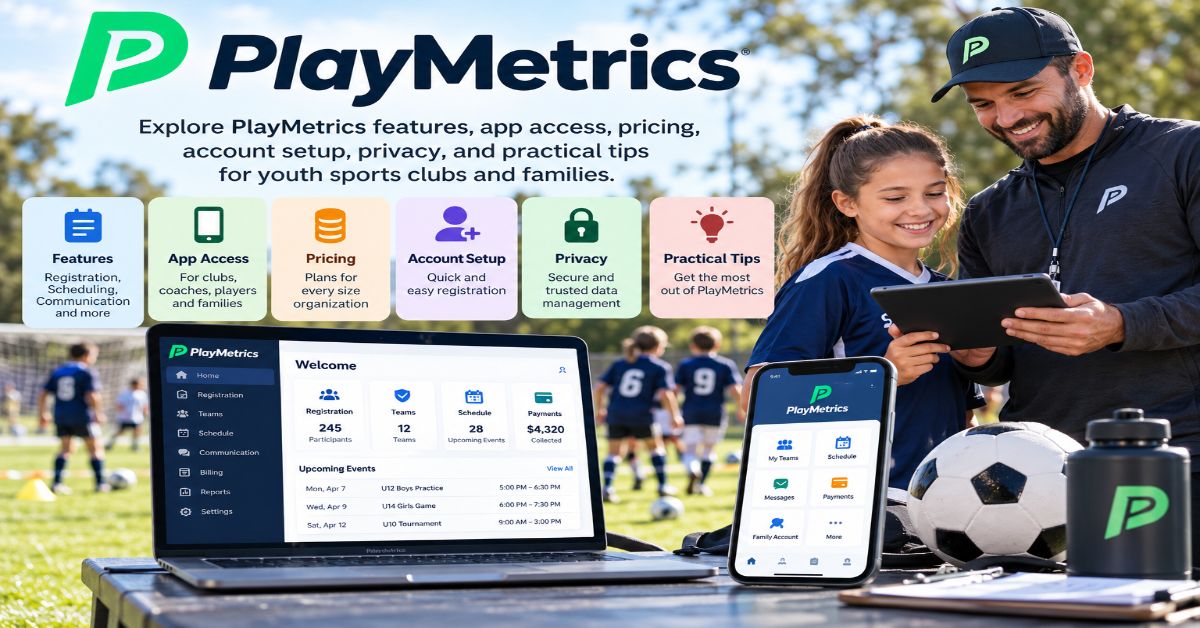
A youth sports season can be derailed by small administrative gaps: a parent misses a field-change message, a coach uses an outdated roster, or a registration payment sits in a spreadsheet nobody has checked. PlayMetrics is designed to bring these moving parts into one shared system. For families, it can be the place to check schedules and respond to team updates; for coaches and club administrators, it connects registration, communication, scheduling, player records, and other operational tasks.
The main search intent behind “PlayMetrics” is navigational and informational: readers usually want to find the official platform, understand what it does, access the app, or determine whether it fits their club. The short answer is that PlayMetrics is a youth sports club-management platform used by clubs, leagues, coaches, administrators, and player families. Its feature set can include registration and payments, team calendars, roster management, messaging, attendance, coaching tools, forms, and reporting; access depends on the organization’s setup and the user’s account role. (Official platform: https://app.playmetrics.com/; support overview: https://help.playmetrics.com/hc/en-us/articles/360021201253-An-Introduction-to-the-PlayMetrics-Club-System.)
This guide explains the platform from a practical decision-making perspective. It separates what families need from what staff need, outlines a sensible first-login process, and identifies questions to ask before a club commits to a system. It also covers pricing transparency, privacy considerations, and troubleshooting steps. Product features and app-store details can change, so the official website and your club administrator remain the best sources for account-specific instructions and current availability.
The key point is not that every sports organization needs another app. It is that a club benefits when its schedules, messages, forms, payments, and player information are maintained consistently—and when each person can see the information relevant to their role.
What Is PlayMetrics?
PlayMetrics is a software platform built to help youth sports organizations manage club operations in one place. Its official site describes support for clubs, leagues, tournaments, and governing bodies, while its support documentation explains that different account types receive access to features relevant to their responsibilities. The platform is used across sports, although individual organizations may enable different modules or workflows.
Instead of treating registration, team messaging, practice calendars, player evaluations, and administrative records as unrelated jobs, PlayMetrics brings these activities into a connected environment. That can reduce duplicated data entry and the risk of families receiving conflicting information. The benefit depends on the club maintaining accurate records and using the platform consistently.
It is important to distinguish the platform from a standalone scores app. Game schedules and scores may be part of the experience, but PlayMetrics also covers the administrative work behind a season: enrolling players, assigning teams, collecting forms, coordinating facilities, communicating changes, and tracking club operations.
Who Uses PlayMetrics?
The platform serves several audiences, and the experience differs by role. A parent does not need the same controls as a club administrator, and a coach’s daily workflow differs from a director’s season-planning responsibilities.
| User role | Typical tasks | What to confirm |
| Parents and player contacts | Register players, manage permitted profile details, check schedules, respond to attendance requests, receive messages, and review payment information. | Which email is linked to the player and which contacts can access the account. |
| Coaches | Plan sessions, communicate with teams, track attendance, review rosters, and access forms or player evaluations. | Whether the club has published its training plans and enabled the relevant tools. |
| Team managers and staff | Coordinate events, update team details, share documents, and communicate time-sensitive changes. | Who is authorized to edit schedules, scores, or roster information. |
| Club administrators and directors | Manage programs, registration, payments, teams, fields, forms, reporting, and coaching processes. | Permissions, data ownership, reporting needs, and migration responsibilities. |
These roles are described in PlayMetrics’ support overview, which explains that administrators, directors, coaches, team staff, and player contacts have different account types. Exact permissions should be confirmed with the organization because settings and enabled features can vary. Source: https://help.playmetrics.com/hc/en-us/articles/360021201253-An-Introduction-to-the-PlayMetrics-Club-System.
What Features Does PlayMetrics Offer?
Registration and payments
Clubs can use registration tools to organize programs and collect player information. Payment features may support fees, payment plans, refunds, and registration status tracking, depending on the organization’s configuration. For families, the practical advantage is having registration and payment information connected to the player’s club relationship rather than scattered across emails and separate forms.
Before registering, review the program name, season, age group, fee schedule, refund policy, and any required forms. If a payment appears incorrect or a registration is incomplete, save the confirmation and contact the club’s administrator rather than submitting the same payment again without checking.
Schedules, rosters, and attendance
Team-management tools can bring practices, games, events, roster information, and attendance into a shared calendar. The official team-management page says families can view schedules for multiple players in a consolidated view and sync events with personal calendars. Schedule changes can be reflected in the platform, but users should still read the event details and notifications carefully.
For coaches and team staff, attendance tracking helps answer a basic operational question before an event: who is expected to attend? It can also help staff plan substitutions, practice groups, or communications. Attendance records are only useful when families respond promptly and staff keep the event current.
Communication and notifications
PlayMetrics supports club and team communication, including messages and alerts. A club may use targeted messages to reach a specific team or group instead of sending every update to every member. This is especially useful for field closures, arrival-time changes, uniform instructions, and missing forms.
Families should check notification settings and confirm that their contact information is current. A mobile notification is helpful, but it should not be treated as a guarantee that every message has been read. For urgent safety or travel changes, clubs should define a clear communication policy and avoid relying on a single channel.
Coaching and player development
Coaching features can include session planning, a drill library, a shared curriculum, season planning, and player evaluations. These tools can help a club communicate a consistent training approach across age groups while still allowing coaches to adapt sessions to the needs of their teams.
The value is not simply storing drills. Directors can use a shared curriculum to make expectations visible, coaches can prepare sessions in advance, and evaluations can provide a more structured record of development. Clubs should explain what evaluation labels mean and how feedback is shared so families do not mistake an internal coaching tool for a definitive measure of a young athlete’s potential.
Forms, files, fields, and reporting
Depending on the organization’s setup, PlayMetrics can support forms, document storage, field or court planning, dashboards, and financial or operational reporting. Bringing these workflows together can reduce the number of spreadsheets and separate services staff need to maintain. It does not eliminate the need for good data governance: records still need owners, deadlines, access rules, and periodic checks.
A useful test for any club platform is whether it can answer routine questions without a manual search. For example: Which players still need a waiver? Which team has a field conflict? Which registrations are unpaid? Which families need a schedule update? A system is only as dependable as the information and processes behind it.
PlayMetrics App: How Do Families and Coaches Get Started?
The official PlayMetrics website is the safest starting point for access and product information. The platform also has mobile apps listed in major app stores. Search for the exact app name and verify the developer and official website before signing in; avoid links in unexpected messages that ask for credentials or payment details.
A practical first-login checklist
Use this sequence to avoid common access problems:
Ask your club which email address was used for registration or account creation.
Open the official PlayMetrics website or find the app through the official Apple App Store or Google Play listing.
Sign in or follow the account-recovery process provided by the platform.
Check the player profile, team assignment, calendar, and contact details.
Review notification permissions and make sure the relevant club or team messages can reach you.
If information is missing, contact the club administrator before creating a duplicate account.
The official Google Play listing describes features such as registration, club communications, player profiles, field scheduling, team assignments, attendance, game schedules, and scores. App listings and supported devices can change, so verify current compatibility in the store for your device. Google Play: https://play.google.com/store/apps/details?id=com.playmetrics. Apple App Store: https://apps.apple.com/us/app/playmetrics/id1450640824.
How Much Does PlayMetrics Cost?
PlayMetrics does not publish one universal price for every club on its official pricing pages. Its pricing information says the cost depends on factors such as organization type, size, and feature needs, and directs organizations to contact the company for a tailored quote. As a result, a reliable budget should be based on a written proposal rather than a third-party estimate or a price quoted for another club.
Families should also distinguish between the platform’s commercial price and the fees charged by their club. A registration fee, tournament charge, uniform cost, or payment-processing charge may be set by the organization and should not automatically be assumed to be a PlayMetrics subscription fee.
| Pricing question | Why it matters | What to request |
| What is included? | Core tools and optional modules may differ by plan or organization. | A written list of included features and any add-on costs. |
| How is the fee calculated? | Size, organization type, and feature requirements can affect the quote. | The billing basis, contract term, and renewal terms. |
| Are payment-processing costs separate? | Transaction charges can affect the total cost of collecting fees. | All processing, refund, and chargeback-related fees that apply. |
| What onboarding is included? | Staff training and data migration affect implementation effort. | Training hours, migration support, and any setup fees. |
| What happens at renewal or cancellation? | The club needs predictable costs and a clear exit path. | Notice periods, export options, renewal changes, and data-retention terms. |
Official pricing pages: https://app.playmetrics.com/pricing/ and https://home.playmetrics.com/pricing. The company asks prospective organizations to discuss their needs to obtain an accurate quote.
PlayMetrics Benefits and Limitations
The strongest reason to consider PlayMetrics is workflow consolidation. If a club currently relies on separate tools for forms, schedules, communication, payment tracking, file sharing, and coaching resources, one integrated system may reduce repetitive work. The official site specifically positions the product as a central platform for club staff, members, coaches, and leadership.
However, a unified system is not automatically a well-run system. Poorly maintained rosters, outdated event details, confusing permissions, or inconsistent communication practices can persist after a software change. Families may also need time to learn a new interface, and a club may need to coordinate the transition from existing systems.
| Potential advantage | Possible limitation | How to evaluate it |
| One central place for club information | The experience depends on complete, current records. | Test a full workflow from registration through event updates. |
| Role-specific access for families and staff | Users may not see every feature or have edit permissions. | Ask for a role-by-role demo using realistic tasks. |
| Connected calendars and notifications | Users can miss alerts or keep outdated contact details. | Test a schedule change and confirm how families are notified. |
| Shared coaching and evaluation tools | Clubs must define consistent coaching practices. | Review a sample curriculum and evaluation process. |
| Potentially fewer separate subscriptions | Subscription and transaction costs need a full comparison. | Compare annual total cost, including migration and staff time. |
A practical evaluation should focus on outcomes rather than feature counts. Ask staff to demonstrate three routine jobs: registering a player, changing a field location, and identifying missing forms. If those tasks are faster and clearer for the people who perform them, the platform may be solving the club’s actual problems.
Privacy, Account Security, and Family Data
Youth sports systems can hold contact details, player profiles, schedules, forms, attendance information, and payment-related data. Families should use unique passwords, keep recovery information current, and sign in only through trusted official channels. Club administrators should limit access according to role and remove access when staff or volunteers leave.
Read the app-store privacy disclosures and the organization’s own policies before entering sensitive information. Google Play’s listing notes that its data-safety details describe developer-reported practices and may change; it also indicates that the app may share certain categories of data with third parties. These disclosures are a starting point, not a substitute for reviewing the current policy and asking the club how data is handled. Source: https://play.google.com/store/apps/details?id=com.playmetrics.
For administrators, sensible governance includes collecting only necessary information, setting retention rules, checking who can download or edit records, and explaining how player evaluations and health-related forms are used. For parents, the practical questions are who can see a child’s information, how to correct an error, and whom to contact about account access or privacy concerns.
Common PlayMetrics Problems and How to Resolve Them
I cannot sign in. What should I check?
First, verify that you are using the email address connected to the player or staff account. Check for spelling errors, try the platform’s account-recovery process, and inspect spam or junk folders for legitimate messages. If the account was created by the club, an administrator may need to confirm the account details or resend an invitation.
My child or team is missing from the account
Do not immediately create another account. Confirm that registration is complete, that the correct player profile is linked, and that the club has assigned the player to the team. If the season or roster recently changed, ask the administrator to check the record and your account permissions.
A schedule or location looks wrong
Open the event details and check the date, start time, arrival time, and venue. Then review the latest club communication. If two sources conflict, contact the team manager or club rather than assuming the older calendar entry is correct. Administrators should update the central event record and send a clear notice when a change affects families.
I am not receiving notifications
Check in-app notification preferences and your phone’s operating-system permissions. Confirm that the app is allowed to send notifications and that the relevant email or phone number is current. If messages are still missing, ask the club whether the message was sent to your account role or team group.
PlayMetrics provides a support knowledge base and onboarding resources. For account-specific issues, the club administrator is often the best first contact because they can verify team assignment and permissions. The support overview is available at https://help.playmetrics.com/hc/en-us/articles/360021201253-An-Introduction-to-the-PlayMetrics-Club-System.
Is PlayMetrics Right for Your Sports Club?
PlayMetrics is worth evaluating when a club needs to coordinate several connected functions and wants families, coaches, and administrators to work from consistent information. It may be especially relevant to organizations managing multiple teams, age groups, facilities, programs, or recurring registrations. Smaller clubs should still assess whether the features they will actually use justify the cost and transition effort.
Before choosing a platform, involve the people who will use it every week. Ask a coach to test attendance and practice planning, a registrar to test registration and forms, a treasurer to review payment reporting, and a parent to find the next event and respond to an attendance request. A short, realistic test often reveals more than a long feature presentation.
Use the following decision checklist:
List the current systems and subscriptions the club uses.
Identify the three most time-consuming administrative tasks.
Request a demo using the club’s actual workflows and roles.
Ask for a written quote, implementation plan, support terms, and data-export details.
Define who owns roster accuracy, schedule changes, forms, and member communications.
Set success measures, such as fewer duplicate records, fewer missed updates, or faster registration processing.
Conclusion: What to Know Before Using PlayMetrics
PlayMetrics is more than a team calendar: it is a youth sports management platform intended to connect registration, payments, team operations, communication, coaching, forms, and reporting. For families, its usefulness depends on having the right account and keeping player details current. For clubs, the value depends on choosing the right features, training staff, maintaining accurate records, and setting clear rules for communication and data access.
If you are a parent or player contact, start with the official app or website and confirm your registered email with the club. If you are evaluating the platform for an organization, request a tailored quote and test common tasks before making a decision. The best system is the one that makes reliable information easier to find and reduces administrative friction without adding unnecessary complexity.
Frequently Asked Questions About PlayMetrics
Is PlayMetrics free for parents?
The mobile app is listed as free to download in the Apple App Store, but that does not mean club programs are free. Registration fees and other charges are determined by the relevant organization and should be reviewed before enrolling.
Can I use PlayMetrics for more than one child?
The official team-management information describes a consolidated calendar for families with multiple players. Whether all children appear under one account depends on how their profiles and family contacts are set up, so ask the club to link the correct records if one is missing.
Does PlayMetrics work for sports other than soccer?
Yes. The company says youth sports organizations in sports including volleyball and rugby use the platform. A club should confirm that the specific workflows it needs are supported before adopting it.
Can I change a game or practice time myself?
Families generally view event information rather than control the club’s official schedule. Contact the coach, team manager, or administrator if a time or location needs correction; editing permissions depend on your role.
Where can I find official PlayMetrics help?
Start with the official support center at https://help.playmetrics.com/ or ask your club administrator for the appropriate account or team instructions. Use official channels for login recovery and avoid sharing passwords in messages.
How can a club get a PlayMetrics price quote?
Use the official pricing page or request a demo through PlayMetrics. Be ready to explain the organization’s size, programs, feature needs, existing tools, and onboarding requirements so the quote reflects the intended setup.
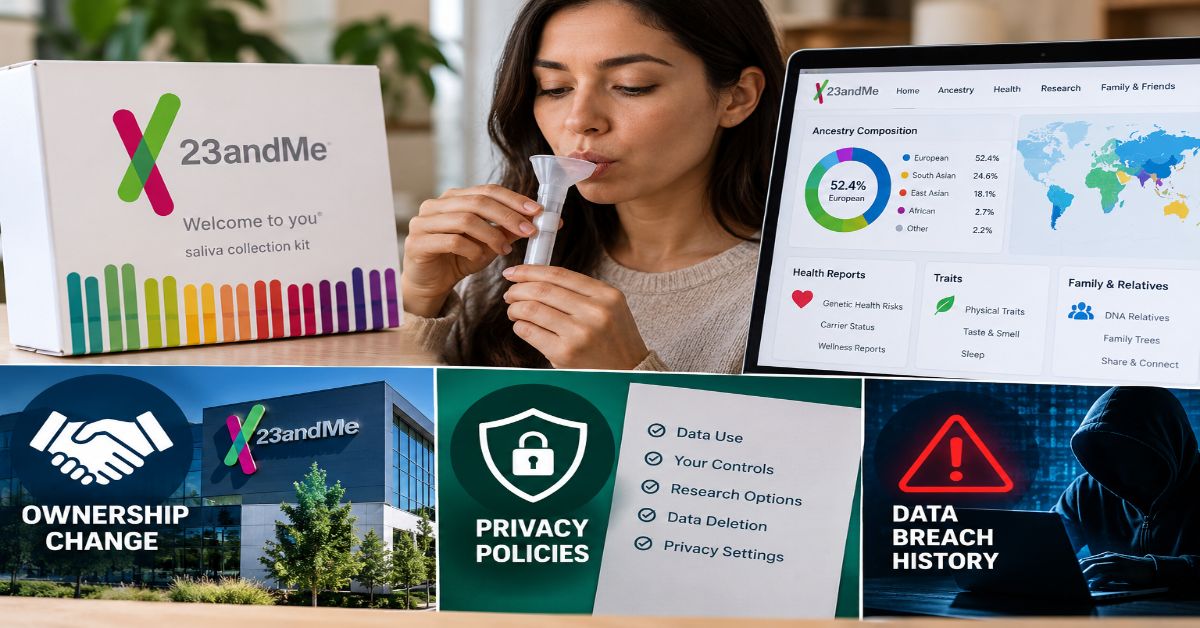
Imagine receiving a DNA report that connects you to distant relatives, estimates where parts of your family history began, and flags certain inherited health risks. The appeal is obvious: a small saliva sample can open a window into ancestry and genetics. Yet the value of that window depends on understanding what the results can—and cannot—tell you, how your data may be used, and who is operating the service today. That is why researching 23andMe Inc. requires more than comparing DNA kits or reading a list of features 23andMe Inc..
23andMe became known for direct-to-consumer genetic testing, offering ancestry insights and, in eligible markets and service tiers, selected health-related reports. Customers provide a saliva sample, the company analyzes genetic markers, and results are delivered through an online account. These reports can be useful starting points for family-history research or a conversation with a healthcare professional, but they are not a complete picture of a person’s genome or a diagnosis of disease 23andMe Inc..
There is also an important corporate distinction. In March 2025, 23andMe entered Chapter 11 bankruptcy proceedings. A court-supervised sale of key consumer genetics and research assets to nonprofit TTAM Research Institute closed on July 14, 2025. The former corporate entities subsequently changed legal names, while the consumer-facing 23andMe service continued under the acquired business. The name “23andMe Inc.” may therefore appear in older financial, legal, or news records that describe a different corporate phase from the current service 23andMe Inc..
This guide explains the company’s core offerings, the science behind consumer DNA reports, the implications of its restructuring and data-breach history, and practical checks to make before purchasing a kit or managing an existing account. The goal is not to tell every reader to buy or avoid the service; it is to help readers make a better-informed decision about genetic information that can be personal, consequential, and difficult to change once shared 23andMe Inc..
What is 23andMe Inc.?
23andMe is a consumer genetics brand founded in 2006 to help people access and interpret information about their DNA. Its best-known products use saliva samples to estimate ancestry, identify genetic relatives when users choose to participate in matching features, and provide selected genetic reports. The service also built a research operation using data from customers who separately consented to participate.
The company’s history matters because “23andMe Inc.” can refer to the former legal company, its products, or the brand that continued after the asset sale. In 2025, the business faced financial distress and filed for Chapter 11 protection. TTAM Research Institute acquired substantially all of the assets associated with the Personal Genome Service and research services in July 2025. Official court and settlement materials later refer to the former 23andMe, Inc. as ChromeCo, Inc. and the holding company as Chrome Holding Co. The exact entity matters when reading court filings, shareholder information, or legal notices.
For ordinary consumers, the key distinction is between the customer-facing DNA service and the former public-company structure. A continuing website or product does not mean the original company remains the same legal entity, ownership structure, or stock investment it once was.
Which services does 23andMe offer?
Product names and availability can change by country, account type, and date. The company’s current customer-care materials describe ancestry-focused options and combined ancestry-and-health memberships. Health reports may not be available to all customers, and a report included in one plan should not be assumed to be part of another.
| Service area | What it can provide | Important limitation |
| Ancestry estimates | Estimates of genetic ancestry and geographic connections based on reference populations. | Estimates can change as reference data and methods improve; they are not a definitive family tree. |
| DNA relatives | Potential genetic matches with other customers who use matching features. | Matches depend on who has tested and opted into the feature; unexpected relationships may appear. |
| Traits and wellness | Selected reports about inherited traits or genetic variants associated with certain wellness characteristics. | Many traits depend on environment and many genes, not one result alone. |
| Health predisposition | Selected reports about genetic variants associated with increased risk for particular conditions. | A risk result is not a diagnosis and a negative result does not rule out disease. |
| Carrier status | Information about certain variants that could be relevant to reproductive planning. | A report does not cover every variant or condition; clinical testing may be needed. |
| Pharmacogenetics | Selected information about how some genetic variants may affect response to particular medicines. | Do not start, stop, or change medication based only on a consumer report. |
A useful way to compare plans is to start with the question you want answered. Someone researching family origins may not need health reports. A person exploring inherited health risks should check the exact report list, eligibility rules, and limitations before paying. If reproductive planning or a current medical decision is involved, a clinician or genetic counselor can help determine whether a clinical test is more appropriate.
How does the 23andMe DNA testing process work?
1. Order a kit and read the terms
Before ordering, review the service description, privacy notice, consent choices, shipping restrictions, and current terms. Confirm that the service is available where you live and that the product includes the features you want. Because policies and product names can change, rely on the current official checkout and help pages rather than an old review or a second-hand listing.
2. Provide a saliva sample
The standard process uses a saliva collection kit. Follow the kit instructions carefully, register the kit to the correct account, and send the sample using the provided process. Sample errors, incomplete registration, or shipping problems can delay processing or require a replacement sample.
3. The laboratory analyzes selected genetic markers
Consumer genotyping generally examines selected positions in DNA rather than reading every letter of a person’s genome. Software compares the detected variants with reference datasets and algorithms to produce ancestry estimates and selected reports. This distinction explains why a consumer report can be informative without being exhaustive.
4. Review the results in context
An ancestry percentage is an estimate based on the company’s reference groups and methods. It is not a precise measurement of identity or proof of citizenship, culture, or a specific ancestor. Health reports similarly describe associations or selected variants, not a complete forecast of future health. If a result could affect treatment, screening, or family planning, discuss it with a qualified healthcare professional.
5. Manage account and research settings
Review whether you have opted into research, relative matching, or other optional features. These settings serve different purposes. Participation in research should not be assumed simply because you purchased a kit, and a customer should read the specific consent language to understand what data can be used, shared, or retained.
What does a 23andMe health report actually mean?
Genetic reports are easiest to interpret when their scope is clear. A report may identify a variant associated with an increased chance of a condition, indicate carrier status for a specific inherited condition, or provide information about selected medication-response variants. Each category answers a different question.
| Report type | Question it addresses | What it does not establish |
| Genetic health risk | Does the tested DNA include a variant associated with elevated risk for a specified condition? | Whether the person will develop the condition or when it might occur. |
| Carrier status | Was a selected variant found that could be passed to a child? | The full reproductive risk without considering a partner’s results and other relevant factors. |
| Pharmacogenetics | Could selected genetic variants affect the way the body processes certain medicines? | A personalized prescription or a reason to alter a dose without a clinician. |
| Traits | Is a tested variant associated with a particular observable trait? | A guaranteed outcome, especially where environment and many genes contribute. |
A negative result can be reassuring within the narrow limits of the test, but it cannot exclude every genetic cause of a condition. A positive result may need confirmation in a clinical laboratory, depending on the report and the decision being considered. Consumer reports should therefore be treated as information to discuss—not as a substitute for medical history, examination, diagnostic testing, or professional advice.
For example, a customer who sees a possible inherited risk should record the exact report name, read the report’s limitations, and ask a clinician whether confirmatory testing or earlier screening is appropriate. A customer who sees a medication-related report should not independently change a prescribed treatment. The correct response depends on the medicine, the genetic variant, other health factors, and established clinical guidance.
How did the bankruptcy and ownership change affect 23andMe?
23andMe filed for Chapter 11 bankruptcy protection in March 2025, beginning a court-supervised process to sell assets and address liabilities. On July 14, 2025, TTAM Research Institute completed the acquisition of key consumer genetics and research assets for a reported $305 million. Regeneron had initially been selected as a bidder but did not pursue a higher offer when the auction was reopened. The acquired consumer service continued to operate, but the transaction changed the ownership and legal structure behind the brand.
The practical lesson is to distinguish the service from its former stock-market identity. Historical stock quotes, company filings, press releases, and customer service pages may describe different stages of the transition. Anyone researching the old publicly traded company should read the bankruptcy record and subsequent corporate disclosures instead of assuming that an older ticker or financial profile represents a current investment opportunity.
Customers should separately verify current account access, product availability, subscription terms, privacy settings, and support channels. Corporate ownership changes do not automatically answer every question about an individual account; the relevant terms, legal notices, and available account controls are the best starting points.
What should customers know about the 23andMe data breach?
The company disclosed a cyberattack in October 2023 after attackers used compromised login credentials to access accounts. Information associated with approximately 6.9 million customers worldwide was reported as affected in subsequent government and legal materials. The incident led to litigation and regulatory scrutiny, and the bankruptcy process included settlements connected with the breach.
In July 2026, a multistate settlement announcement described $18 million in recovery from limited bankruptcy-estate funds for state claims, while a separate customer class-action settlement was set at $46.75 million. The official settlement site states that payments for approved customer claims were issued in late September 2026. Eligibility, deadlines, and benefits depend on the particular settlement rules; consumers should use the court-authorized settlement website for current details rather than rely on social-media posts or unsolicited messages.
The incident illustrates a specific risk of genetic data: it is uniquely identifying and reveals information not only about the person who submitted a sample but potentially about biological relatives. A password reset helps protect an account, but it cannot make genetic information already copied by an attacker disappear. Good security therefore includes strong unique passwords, multifactor authentication where available, careful consent choices, and a realistic understanding of the permanence of genetic data.
Anyone who thinks they may be affected should avoid clicking links in unexpected settlement or monitoring messages. Visit the official settlement website by typing the address directly, check whether a claim or enrollment code is required, and never pay an unsolicited party to release a settlement benefit.
How does 23andMe handle privacy and genetic data?
Privacy decisions should be made before sending a DNA sample, not only after results arrive. Genetic data differs from many other personal records because it cannot be replaced like a password, may reveal family relationships, and can become more informative as science advances. Customers should review the current privacy notice and the exact consent choices shown in their account.
The company’s research materials describe opt-in consent for research participation and separate choices for certain individual-level data sharing. Read the applicable consent text to understand whether information may be used by internal researchers, shared with qualified collaborators, or used to contact you about future studies. De-identification reduces direct identifiers but does not make re-identification risk impossible in every context.
Before submitting a sample, consider these questions:
Can I opt out of research without losing access to the core service?
Can I change my research or DNA-relative settings later, and what happens to data already used in completed research?
What account controls exist for downloading or deleting genetic data and requesting sample destruction?
What legal process can require disclosure, and what does the current privacy notice say about law-enforcement requests?
Do I understand the implications for biological relatives who have not consented themselves?
Account deletion, sample destruction, research withdrawal, and removal of information already incorporated into completed analyses may be different actions. Do not assume that one control reverses every prior use. Read the current instructions and keep a copy of any confirmation. Because company policies and applicable law can change, use the current official privacy and account pages for the latest process.
23andMe advantages and limitations
The service’s value depends on the intended use. Ancestry estimates and DNA-relative matching can help people generate leads for family research, while selected health reports may help frame questions for a clinician. At the same time, estimates can change, reports cover only selected genetic information, and genetic privacy involves long-term trade-offs.
| Potential benefit | Potential limitation | Practical response |
| Convenient at-home sample collection | Processing and shipping may take time; availability varies by region. | Check service eligibility and current turnaround guidance before ordering. |
| Ancestry and relative discovery | Results depend on reference datasets and participating users. | Treat matches as leads to investigate, not complete proof of a family story. |
| Selected health information | Reports are not comprehensive diagnostic tests. | Discuss consequential results with a clinician or genetic counselor. |
| Research participation options | Consent and data-sharing terms can be complex. | Review each choice separately and revisit settings periodically. |
| Established consumer-genetics brand | The 2025 bankruptcy and 2023 breach are material context for evaluating trust. | Read current ownership, privacy, security, and legal notices before deciding. |
Is 23andMe worth considering?
It may be worth considering for someone whose main goal is ancestry exploration, relative matching, or learning about selected genetic variants—and who is comfortable with the privacy implications. It is less suitable as a stand-alone way to diagnose a disease, determine an exact family tree, or make treatment decisions. The best decision starts with a defined purpose rather than curiosity alone.
Before buying, verify the current plan and price on the official website, confirm that the product is offered in your location, compare the included reports with your goal, and read the consent and deletion terms. If your goal is medical, ask a healthcare professional whether a clinically validated test would be more appropriate. If your goal is genealogy, consider whether you are prepared for unexpected relative matches or surprising family information.
For existing customers, the next step may not be a new purchase. It may be reviewing security settings, checking research consent, understanding how DNA-relative matching works, or reading the current privacy notice. The company’s legal and operational history makes these ordinary account-management steps especially important.
Conclusion: Make an informed decision about 23andMe Inc.
23andMe helped popularize at-home DNA testing by making selected ancestry and genetic reports accessible directly to consumers. Those tools can provide useful clues, but they are not definitive medical diagnoses or complete accounts of ancestry. The company’s 2025 bankruptcy, asset sale, and data-breach aftermath also make it essential to check current legal, privacy, and service information rather than rely on outdated descriptions.
The most practical approach is to match the product to a clear goal, understand what the test cannot tell you, review consent settings before sharing DNA, and involve a qualified professional when results could affect healthcare or family planning. Genetic information can be valuable, but informed consent and realistic expectations are just as important as the report itself.
Frequently asked questions
Is 23andMe Inc. still the same company it was before 2025?
No. The consumer genetics assets were acquired by TTAM Research Institute in July 2025 through a court-supervised sale. The former legal entities later changed names, while the 23andMe consumer service continued under the acquired business.
Can 23andMe diagnose a medical condition?
No. Consumer genetic reports provide selected risk or variant information and do not replace diagnosis, clinical testing, or care from a qualified healthcare professional.
Does 23andMe test every gene?
No. Consumer genotyping typically checks selected genetic markers rather than sequencing every part of a person’s genome. Reports cover only the variants and conditions included in the service.
Can I use a 23andMe report to change my medication?
Do not change a medication or dose based only on a consumer report. Ask the prescribing clinician or pharmacist to interpret the result in context and determine whether clinical confirmation is needed.
Was customer information affected by the 2023 breach?
Government and settlement materials reported that the incident affected information associated with approximately 6.9 million customers worldwide. Whether a particular person qualifies for a settlement benefit depends on the official eligibility rules.
Where should I check current prices and privacy options?
Use the official 23andMe website and customer-care pages for current product details, pricing, account controls, privacy terms, and research-consent settings. Older articles may describe plans or policies that have changed.
Source notes
Company background and services: https://www.23andme.org/clinicians/company/
Current service options: https://customercare.23andme.com/hc/en-us/articles/202908020-23andMe-DNA-Test-Kit-Service-Options
Research consent and privacy: https://www.23andme.org/research/consent-privacy/
Court-authorized customer data-breach settlement information: https://23andmedatasettlement.com/
Government announcement on multistate settlement: https://oag.maryland.gov/News/pages/Attorney-General-Brown-Announces-Multistate-Settlement-of—-Bankruptcy-Claims-Against-23andMe-Over-Genetic-Data-Breach-.aspx
Corporate asset-sale announcement filed with the SEC: https://www.sec.gov/Archives/edgar/data/1804591/000119312525158551/d11473dex991.htm
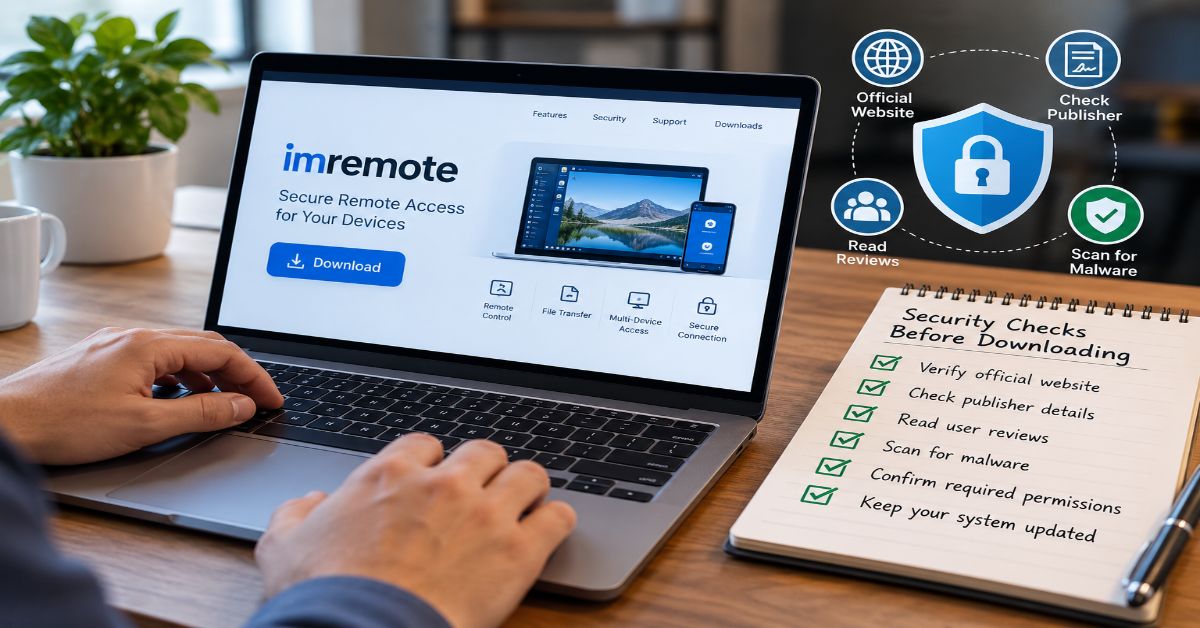
A search for imremote can lead to an unexpected problem: the name does not point unambiguously to one universally recognised product. Some software directories describe “IMRemote” as an older plug-in associated with AOL Instant Messenger and desktop sharing, while other results use similar spellings for separate remote-control projects or services. The safest starting point is therefore to identify the exact app, website, developer, or process you have encountered before deciding what it does.
In practical terms, imremote is best approached as an ambiguous search term, not as proof that a particular remote-access service is official, current, secure, or suitable for business use. If you are trying to connect to another computer, research a program you found on your device, or decide whether a download is trustworthy, this guide explains how to investigate it without relying on assumptions.
Remote access software can be useful: it may let a support technician troubleshoot a computer, allow a person to control a desktop from another device, or make it possible to share a screen with someone who needs help. But tools with control over a keyboard, files, microphone, camera, or command line can also expose sensitive information if installed or configured carelessly. The central question is not simply whether a tool works; it is whether you have identified the right product, understand the permissions it requests, and can limit access to the people and tasks that genuinely need it.
This article separates documented references to the name from general remote-access guidance. It does not claim to have tested a current imremote product, verified a vendor’s security controls, or confirmed that an old download is safe. Those distinctions matter when a search result offers incomplete product information or sends readers to a third-party download page.
What Is Imremote?
Imremote is not a technical standard with one fixed definition. The meaning depends on spelling, context, and the source using the name. One software-directory listing describes IMRemote 1.0.1 as an AOL AIM plug-in intended to let a user share a desktop with a friend through AIM. The listing names Sinesat Ltda. as the developer and classifies it as freeware, but a directory listing is not the same as a current official product page or a security audit.
A different project called iRemote has been described in a public code repository as a remote desktop solution for older versions of Windows and macOS, controlled from iOS or Android over Wi-Fi. Similar names do not prove that the projects share an owner, codebase, or security design. Capitalisation and a missing space can change which result is relevant.
For a useful answer, first establish the identity of the item you mean. Look at the exact spelling, the publisher, the download domain, the application’s version, and the context in which the name appeared. If you saw “imremote” in a computer process list rather than a website, treat that as a separate investigation: a process name alone does not establish that a program is malicious or legitimate.
Why Do People Search for Imremote?
Search intent around imremote is likely to fall into several overlapping categories. A person may want to find an application, learn what a process does, understand a remote-control feature, or check whether a download is safe. The right next step differs by intent.
| Likely search intent | What the reader needs | Best first check |
| Informational | A clear explanation of the name | Compare the exact spelling and source context |
| Navigational | The official page or correct project | Verify the publisher and official domain |
| Download or installation | A trustworthy installer and compatibility details | Check official release notes, version, and digital signature where available |
| Security concern | To understand a process or unexpected access | Inspect the file path, publisher, permissions, and security alerts |
| Remote support | A way to control or share a computer | Choose a maintained tool with clear access controls |
Do not assume that every result for imremote answers all these needs. An archived utility may explain a historical reference but may not be appropriate for a modern operating system. A project with a similar name may provide remote-control functions but be unrelated to the program you are investigating.
How Does Remote Access Software Work?
Remote access software generally creates a communication path between a controlling device and a computer being accessed. Depending on the product, it may transmit screen images, send keyboard and mouse input, transfer files, expose system information, or allow commands to run remotely. Some tools operate only on a local network; others use a vendor’s relay infrastructure or a direct internet connection.
The technical design affects both convenience and risk. A local-network tool may reduce dependence on a third-party cloud service, but it still needs appropriate authentication and network protection. A cloud-relay tool can simplify connections across different networks, but users should understand what service is involved, what metadata may be processed, and how accounts and sessions are protected.
Common remote-access capabilities
Screen viewing and sharing: lets a helper see the desktop or lets a user present what is happening.
Keyboard and mouse control: enables actions on the remote computer, so a session can change settings or open private files.
File transfer and clipboard sharing: makes it easier to move information, but can also move confidential data in the wrong direction.
Remote shell or command execution: can support advanced administration but carries greater risk if granted to an untrusted person.
Audio, camera, or microphone access: may be useful for collaboration but requires explicit attention to privacy and permissions.
These are common capabilities across the remote-access category, not a verified feature list for every product called imremote. Confirm each feature in the documentation for the exact application you have identified.
How Can You Check Whether an Imremote Download Is Trustworthy?
Use a verification process before installing any unfamiliar remote-access program. A familiar-looking name or a page that says “free download” is not enough to establish trust.
1. Identify the publisher
Find the developer name on the official project page, in the application’s documentation, and in the installer’s digital signature details if a signature is available. The publisher should be consistent across these sources. A mismatch does not automatically prove malicious activity, but it is a reason to stop and investigate.
2. Prefer the official source
Use a vendor’s own website or a recognised project repository when available. Download portals can be useful for historical information, but they may host old installers, mirror files, or display download buttons that lead to unrelated offers. If the original project is discontinued, do not treat an archived copy as equivalent to a maintained release.
3. Check version and compatibility
Confirm the release date, supported operating systems, update history, and known limitations. Software designed for obsolete systems may lack current security fixes or fail on modern hardware. Avoid disabling operating-system protections simply to make an unknown installer run.
4. Scan and verify the file
Keep endpoint protection enabled and scan the installer before opening it. If the developer publishes a cryptographic hash or signature-verification instructions, compare the downloaded file against the official value. A clean scan is useful but not a guarantee: security tools can miss new or targeted threats.
5. Review the permissions
Ask why a remote-support tool needs administrator access, persistent background operation, unattended access, clipboard monitoring, or camera and microphone permissions. The permissions should match the task. Do not grant broad access just because a setup wizard recommends it.
The following table summarises practical checks to complete before running a remote-access installer.
| Check | What to verify | Warning sign |
| Publisher | Developer identity matches official documentation | Unknown publisher or inconsistent names |
| Download source | Official domain or recognised repository | Redirects, deceptive buttons, or bundled offers |
| Release status | Supported OS and recent maintenance information | No clear version history or obsolete requirements |
| File integrity | Signature or hash matches publisher instructions, if provided | Unexpected mismatch or invalid signature |
| Permissions | Access requested is necessary for the job | Unexplained admin, camera, or unattended access |
| Removal | Documented uninstall and session-revocation process | No clear way to stop access or remove the service |
Is Imremote Safe to Use?
Safety cannot be established from the name alone. It depends on which application is involved, where it came from, whether it is maintained, how it is configured, and who can connect to it. A historical directory entry can help identify an older program, but it does not confirm that the installer is currently safe or that the software receives security updates.
For a remote-access tool, the most important protections include strong authentication, explicit approval of incoming sessions, restricted permissions, clear session indicators, timely updates, and a reliable way to revoke access. Business users should also consider logs, account management, encryption documentation, support commitments, and whether the vendor’s data practices meet organisational requirements.
Practical warning signs
Someone you do not know asks you to install remote-access software and read them a code.
A caller claims to be from a bank, government office, or technology company and insists on urgent remote access.
The installer asks you to turn off antivirus protection or ignore a browser warning.
The app enables unattended access without clearly explaining how to disable it.
You cannot identify the publisher, understand the permissions, or find a credible support page.
If a stranger is directing the installation, stop the session. Contact the organisation through a phone number or website you locate independently, not through contact details supplied by the caller. Legitimate support should not require you to surrender control without a clear reason.
How to Use Remote Access More Securely
If your goal is to help someone with a computer or connect to your own workstation, apply a least-privilege approach. Give the remote tool only the access required for the task, and remove it when it is no longer needed.
Confirm consent and identity. The person at the remote computer should understand who is connecting, what they will be able to see, and what actions they may take.
Use a maintained product. Check the official support lifecycle and update the software regularly.
Protect accounts. Use unique passwords and multifactor authentication where supported. Never share one-time codes with an unsolicited caller.
Prefer attended sessions for one-off help. Require someone at the computer to approve each connection instead of enabling permanent unattended access.
Limit permissions. Avoid administrator rights, file transfer, clipboard access, or device sensors unless the task requires them.
End and review the session. Disconnect when the task is complete, disable temporary access, and check for unexpected applications, accounts, or settings changes.
Document business use. Organisations should define who can provide support, how access is approved, and how session activity is recorded and reviewed.
Remote access is a powerful administrative capability. The aim is not to avoid it altogether; the aim is to make each connection deliberate, visible, limited, and reversible.
Imremote Compared With General Remote Desktop Tools
If your goal is remote support rather than identifying a historical program, compare tools by their security and operational properties instead of choosing based on a similar name. The right solution depends on whether you need occasional assistance, ongoing access to your own computer, or managed support for an organisation.
| Decision factor | Personal one-off support | Business IT administration |
| Connection approval | Prefer user-approved sessions | Use policy-based approval and role controls |
| Identity protection | Strong account security and trusted helper identity | MFA, central identity management, least privilege |
| Auditability | Basic session history may be sufficient | Logs, retention rules, and review procedures |
| Access duration | Temporary access that can be revoked | Time-limited or managed access based on role |
| Support lifecycle | Clear updates and uninstall process | Vendor support, patch commitments, and documented change control |
| Data handling | Understand clipboard and file-transfer options | Assess data processing, retention, and compliance requirements |
No single feature makes a tool secure by itself. For example, encryption protects data in transit but does not stop an authorised helper from copying a file they should not access. Multifactor authentication makes account takeover harder, but it does not replace permission limits or user awareness. Evaluate the full design and the way the product will actually be used.
What If You Found Imremote Running on Your Computer?
A process name is a clue, not a verdict. If you found a name resembling imremote in Task Manager, Activity Monitor, a login item, or a system log, gather evidence before deleting files. Names can be used by legitimate software, legacy components, and malicious programs alike.
Record the exact process name and operating system, including any spelling or capitalisation differences.
Inspect the file location and publisher information using the operating system’s normal tools.
Check installed applications, recent downloads, startup items, and security-software alerts for related evidence.
Run a full scan with a reputable, updated security tool.
If you suspect an active compromise, disconnect the device from the network when practical, use a separate trusted device to change important passwords, and contact your IT administrator or a qualified security professional.
Avoid deleting a system file based only on a web search result. If the device belongs to an employer, school, or another organisation, contact its IT team before making changes. Removing a legitimate component can disrupt software, while deleting only one file from a malicious installation may leave other persistence mechanisms in place.
What Is Known—and What Still Needs Verification?
Available public references associate the exact form “IMRemote” with an older AOL AIM desktop-sharing plug-in, while a separate project uses the spelling “iRemote” for remote desktop control. These references help explain why search results can be confusing. They do not establish that a current, unified product called imremote exists, nor do they confirm current availability, pricing, ownership, certifications, or security posture.
For publication-quality or purchase decisions, verify the exact product with primary documentation. Check the official website or repository, release history, supported platforms, privacy policy, security documentation, and contact details. If these are missing or contradictory, treat the product identity as unresolved rather than filling the gaps with assumptions.
Methodology note: this article uses publicly available software-directory and project documentation to distinguish similarly named references, alongside established remote-access security practices. No hands-on test, vendor interview, or independent security assessment of a specific imremote product was conducted. Product-specific claims should be rechecked before publication.
Conclusion: A Careful Way to Research Imremote
The most useful answer to “What is imremote?” begins with identification. The name may refer to an older desktop-sharing plug-in, a differently spelled remote-control project, or another use entirely. Confirm the exact source before downloading software, granting access, or deciding that a running process is harmless or suspicious.
Once you have identified the product, judge it by its maintenance status, publisher, permissions, authentication, privacy practices, and ability to revoke access. Remote access can solve real problems, but a trustworthy setup should make it clear who is connecting, what they can do, and how to stop them. If those answers are missing, do not proceed until you can verify them.
Frequently Asked Questions About Imremote
Is imremote a real software product?
The name appears in public references, including a directory entry for an older IMRemote plug-in and separate projects with similar spellings. The term alone does not identify one current product, so verify the exact publisher and source.
Can I download imremote safely?
Do not download based on the name alone. Locate the official publisher or repository, confirm the version and operating-system support, review the installer signature when available, and scan the file before opening it.
Does imremote work on Windows or macOS?
Compatibility depends on the specific program. Public references for similarly named tools describe different platforms and sometimes very old operating systems. Check the documentation for the exact product and version.
Does imremote let someone control my computer?
Some programs associated with similar names are described as remote desktop or screen-sharing tools, but that does not establish the capabilities of every item labelled imremote. Review the exact app’s documented permissions before connecting.
What should I do if imremote appears unexpectedly on my device?
Record its exact name, file path, publisher, and related security alerts. Run an updated security scan and seek qualified IT help if you cannot identify it. Do not assume that the process is malicious—or safe—based on its name alone.
What is the difference between IMRemote and iRemote?
The spellings appear in separate public references. IMRemote has been listed as an AOL AIM desktop-sharing plug-in, while iRemote has been described as a remote desktop project. Similar names are not evidence that the products are related.
Sources and Further Reading
Software Informer, “IMRemote 1.0” — directory entry describing the older AOL AIM desktop-sharing plug-in: https://imremote.software.informer.com/
GitHub, “iremote” — public repository describing a separate remote desktop project: https://github.com/egorpushkin/iremote
National Institute of Standards and Technology, Cybersecurity Framework 2.0 — general risk-management guidance: https://www.nist.gov/cyberframework
These sources provide context for identifying similarly named software and applying general security practices; they do not independently certify any product called imremote.
-

 Guide2 months ago
Voozon.com Guide: What It Is and How It Works
-

 General2 months ago
Spanking Stories: A Reader’s Guide to Themes, Tags and Safer Choices
-

 Technology2 months ago
techtrendery.com: Website Guide for 2026
-

 Technology2 months ago
Coomer.su Explained: Architecture, Data Flow, API Changes and Resilient Client Design
-

 General2 months ago
SABS Framework Description Paragraph: Practical Guide
-

 Technology3 months ago
Listcrawler: How List Crawlers Extract Structured Web Data
-

 Guide3 months ago
How to Run a Marathon: A Practical First-Marathon Guide
-

 General2 months ago
Socialmediagirls Explained: Safety, Privacy, Forum Structure, Leaks and Rules